
Getting Started
The Snapshot Archive API gives you programmatic control over website screenshot capture, monitoring, and visual change detection. Instead of using the dashboard manually, you can automate everything — create monitors, trigger captures, download screenshots, and receive webhook notifications when pages change.
API access is available on Starter plans and above. You interact with the API over HTTPS using standard REST conventions: JSON request bodies, Bearer token authentication, and predictable HTTP status codes.
https://api.snapshotarchive.com/v1
Quick start: your first screenshot in 4 steps
This walkthrough takes you from zero to a downloaded screenshot. Each step builds on the previous one — the IDs you need always come from the response of the step before.
1. Get your API key
Go to Dashboard → API Keys and create a new key. Copy the key immediately — for security reasons, the full key is only shown once. You'll include it in every API request as a Bearer token.
2. Create a monitor
A monitor tells Snapshot Archive which URL to capture and how often. When you create one, the API returns the monitor object with its id — you'll use this ID to trigger captures and retrieve snapshots.
curl -X POST https://api.snapshotarchive.com/v1/monitors \
  -H "Authorization: Bearer YOUR_API_KEY" \
  -H "Content-Type: application/json" \
  -H "Accept: application/json" \
  -d '{
    "url": "https://example.com",
    "frequency_minutes": 720,
    "device_type": "desktop",
    "viewport_width": 1920,
    "viewport_height": 1080
}'$response = Http::withToken('YOUR_API_KEY')
->post('https://api.snapshotarchive.com/v1/monitors', [
'url' => 'https://example.com',
'frequency_minutes' => 720,
'device_type' => 'desktop',
'viewport_width' => 1920,
'viewport_height' => 1080,
]);
$monitor = $response->json('data');import requests
resp = requests.post('https://api.snapshotarchive.com/v1/monitors',
headers={'Authorization': 'Bearer YOUR_API_KEY', 'Accept': 'application/json'},
json={'url': 'https://example.com', 'frequency_minutes': 720,
'device_type': 'desktop', 'viewport_width': 1920, 'viewport_height': 1080})
monitor = resp.json()['data']const resp = await fetch('https://api.snapshotarchive.com/v1/monitors', {
method: 'POST',
headers: { 'Authorization': 'Bearer YOUR_API_KEY',
'Content-Type': 'application/json', 'Accept': 'application/json' },
body: JSON.stringify({ url: 'https://example.com', frequency_minutes: 720,
device_type: 'desktop', viewport_width: 1920, viewport_height: 1080 }),
});
const { data: monitor } = await resp.json();require 'net/http'
require 'json'
uri = URI('https://api.snapshotarchive.com/v1/monitors')
req = Net::HTTP::Post.new(uri, 'Authorization' => "Bearer #{API_KEY}",
'Content-Type' => 'application/json', 'Accept' => 'application/json')
req.body = { url: 'https://example.com', frequency_minutes: 720,
device_type: 'desktop', viewport_width: 1920, viewport_height: 1080 }.to_json
resp = Net::HTTP.start(uri.hostname, uri.port, use_ssl: true) { |http| http.request(req) }
monitor = JSON.parse(resp.body)['data']body := strings.NewReader(`{"url":"https://example.com","frequency_minutes":720,
"device_type":"desktop","viewport_width":1920,"viewport_height":1080}`)
req, _ := http.NewRequest("POST", "https://api.snapshotarchive.com/v1/monitors", body)
req.Header.Set("Authorization", "Bearer "+apiKey)
req.Header.Set("Content-Type", "application/json")
resp, _ := http.DefaultClient.Do(req)
defer resp.Body.Close()
var result map[string]interface{}
json.NewDecoder(resp.Body).Decode(&result)3. Trigger a snapshot
Creating a monitor sets up the schedule, but you can also trigger a capture right away. The API returns 202 Accepted with a snapshot_id — the capture happens asynchronously in the background and typically finishes within 10–30 seconds.
# Use the monitor ID returned from step 2 (e.g. 42)
curl -X POST https://api.snapshotarchive.com/v1/monitors/42/trigger \
  -H "Authorization: Bearer YOUR_API_KEY" \
  -H "Accept: application/json"

# Response: {"data": {"message": "Snapshot queued successfully.", "snapshot_id": "9e8f7a6b-..."}}
$response = Http::withToken('YOUR_API_KEY')
    ->post('https://api.snapshotarchive.com/v1/monitors/42/trigger');
$snapshot = $response->json('data'); // snapshot_id: "9e8f7a6b-..."resp = requests.post(f'{BASE}/monitors/42/trigger', headers=headers)
snapshot = resp.json()['data'] # snapshot_id: "9e8f7a6b-..."const { data } = await fetch(`${BASE}/monitors/42/trigger`, {
method: 'POST', headers,
}).then(r => r.json()); // snapshot_id: "9e8f7a6b-..."uri = URI("#{BASE}/monitors/42/trigger")
req = Net::HTTP::Post.new(uri, headers)
resp = Net::HTTP.start(uri.hostname, uri.port, use_ssl: true) { |h| h.request(req) }
snapshot = JSON.parse(resp.body)['data']req, _ := http.NewRequest("POST", BASE+"/monitors/42/trigger", nil)
req.Header.Set("Authorization", "Bearer "+apiKey)
resp, _ := http.DefaultClient.Do(req)
defer resp.Body.Close()4. Get the result
Poll the snapshot endpoint using the snapshot_id from step 3. Once the status field changes from pending to completed, you can download the screenshot image, PDF, or HTML source.
# Poll until status is "completed" or "failed"
curl https://api.snapshotarchive.com/v1/snapshots/9e8f7a6b-... \
  -H "Authorization: Bearer YOUR_API_KEY" \
  -H "Accept: application/json"

# Once completed, download the screenshot
curl -L https://api.snapshotarchive.com/v1/snapshots/9e8f7a6b-.../screenshot \
  -H "Authorization: Bearer YOUR_API_KEY" \
-o screenshot.png// Poll until status is "completed" or "failed"
$response = Http::withToken('YOUR_API_KEY')
->get('https://api.snapshotarchive.com/v1/snapshots/9e8f7a6b-...');
$snapshot = $response->json('data');
// Once completed, download the screenshot
$image = Http::withToken('YOUR_API_KEY')
->get('https://api.snapshotarchive.com/v1/snapshots/9e8f7a6b-.../screenshot');
file_put_contents('screenshot.png', $image->body());# Poll until status is "completed" or "failed"
resp = requests.get(f'{BASE}/snapshots/9e8f7a6b-...', headers=headers)
snapshot = resp.json()['data']
# Once completed, download the screenshot
img = requests.get(f'{BASE}/snapshots/9e8f7a6b-.../screenshot', headers=headers)
with open('screenshot.png', 'wb') as f:
f.write(img.content)// Poll until status is "completed" or "failed"
const { data: snapshot } = await fetch(`${BASE}/snapshots/9e8f7a6b-...`, { headers })
.then(r => r.json());
// Once completed, download the screenshot
const img = await fetch(`${BASE}/snapshots/9e8f7a6b-.../screenshot`, { headers });
const fs = await import('fs');
fs.writeFileSync('screenshot.png', Buffer.from(await img.arrayBuffer()));# Poll until status is "completed" or "failed"
uri = URI("#{BASE}/snapshots/9e8f7a6b-...")
req = Net::HTTP::Get.new(uri, headers)
resp = Net::HTTP.start(uri.hostname, uri.port, use_ssl: true) { |h| h.request(req) }
snapshot = JSON.parse(resp.body)['data']
# Once completed, download the screenshot
uri = URI("#{BASE}/snapshots/9e8f7a6b-.../screenshot")
req = Net::HTTP::Get.new(uri, headers)
img = Net::HTTP.start(uri.hostname, uri.port, use_ssl: true) { |h| h.request(req) }
File.binwrite('screenshot.png', img.body)// Poll until status is "completed" or "failed"
req, _ := http.NewRequest("GET", BASE+"/snapshots/9e8f7a6b-...", nil)
req.Header.Set("Authorization", "Bearer "+apiKey)
resp, _ := http.DefaultClient.Do(req)
defer resp.Body.Close()
// Once completed, download the screenshot
req2, _ := http.NewRequest("GET", BASE+"/snapshots/9e8f7a6b-.../screenshot", nil)
req2.Header.Set("Authorization", "Bearer "+apiKey)
resp2, _ := http.DefaultClient.Do(req2)
defer resp2.Body.Close()
out, _ := os.Create("screenshot.png")
io.Copy(out, resp2.Body)- Monitor ID — returned when you create a monitor or list monitors (
data.id) - Snapshot UUID — returned when you trigger a snapshot (
data.snapshot_id) or list snapshots - Project ID — returned when you create or list projects
- Diff ID — returned when you list diffs for a monitor
GET /v1/monitors to get their IDs programmatically.
Authentication
Every API request (except status checks) requires authentication. Include your API key as a Bearer token in the Authorization header. You can generate and manage API keys from your Dashboard, or programmatically via the API Keys endpoints.
Along with the API key, always send two additional headers: Accept: application/json ensures error messages come back as structured JSON instead of HTML, and Content-Type: application/json is required for any request that sends a body (POST, PUT, PATCH).
Authorization: Bearer YOUR_API_KEY
Accept: application/json
Content-Type: application/jsonWhat happens when authentication fails
The API returns specific error codes so you can handle each case:
| Code | HTTP Status | Meaning |
|---|---|---|
missing_api_key | 401 | No Authorization header provided |
invalid_api_key | 401 | Key doesn't exist or has been revoked |
expired_api_key | 401 | Key has passed its expiration date |
ip_not_allowed | 403 | Request IP is not in the key's allowed list |
Plan Limits
Your plan determines how many monitors you can create, how often they capture, and how long snapshots are stored. API access starts from the Starter plan. The table below shows the limits for each tier — if you try to exceed a limit, the API returns a clear error message explaining what to upgrade.
| Feature | Free | Starter | Pro | Growth | Business |
|---|---|---|---|---|---|
| API Access | — | ✓ | ✓ | ✓ | ✓ |
| Monitors | 3 | 20 | 50 | 100 | 200 |
| Min Frequency | Daily | Daily | Every 6h | Every 3h | Hourly |
| Retention | 30 days | 180 days | 1 year | 2 years | 3 years |
| Visual Diff | — | ✓ | ✓ | ✓ | ✓ |
| PDF / HTML Export | — | ✓ | ✓ | ✓ | ✓ |
| API Keys | 0 | 5 | 5 | 5 | 5 |
| Rate Limit | 30/min | 60/min | 120/min | 300/min | 600/min |
| Price | Free | $19/mo | $39/mo | $79/mo | $149/mo |
plan_exceeded status and stop capturing. Upgrade your plan to reactivate them — no data is lost during the transition.
Projects
Projects let you organize monitors into logical groups — for example, by client, environment, or team. Every account starts with a default project, and you can create as many additional projects as you need. Monitors can optionally belong to a project, making it easier to filter and manage large numbers of monitors.
List projects
Returns all projects on your account, sorted by creation date (newest first). Use the sort and order parameters to change the ordering. The response includes a monitors_count field so you can see at a glance how many monitors belong to each project.
Query parameters
| Parameter | Type | Description |
|---|---|---|
per_page | integer | Items per page (default: 20) |
sort | string | created_at (default), updated_at, name |
order | string | desc (default) or asc |
curl "https://api.snapshotarchive.com/v1/projects" \
  -H "Authorization: Bearer YOUR_API_KEY" \
-H "Accept: application/json"$response = Http::withToken('YOUR_API_KEY')
->get('https://api.snapshotarchive.com/v1/projects');
$projects = $response->json('data');resp = requests.get(f'{BASE}/projects', headers=headers)
projects = resp.json()['data']const { data: projects } = await fetch(`${BASE}/projects`, { headers })
.then(r => r.json());uri = URI("#{BASE}/projects")
req = Net::HTTP::Get.new(uri, headers)
resp = Net::HTTP.start(uri.hostname, uri.port, use_ssl: true) { |h| h.request(req) }
projects = JSON.parse(resp.body)['data']req, _ := http.NewRequest("GET", BASE+"/projects", nil)
req.Header.Set("Authorization", "Bearer "+apiKey)
resp, _ := http.DefaultClient.Do(req)
defer resp.Body.Close()
var result map[string]interface{}
json.NewDecoder(resp.Body).Decode(&result)Response
{
  "data": [
    {
      "id": 1,
      "name": "My Website",
      "description": "Production site monitoring",
      "is_default": true,
      "monitors_count": 5,
      "created_at": "2026-01-15T10:30:00Z",
      "updated_at": "2026-01-15T10:30:00Z"
    }
  ],
  "meta": { "current_page": 1, "per_page": 20, "total": 1, "last_page": 1 }
}
Create a project
Creates a new project to group your monitors. The only required field is name — the description is optional and useful for documenting the project's purpose for your team.
Request body
| Field | Type | Required | Description |
|---|---|---|---|
name | string | Yes | Project name (max 255 characters) |
description | string | No | Project description (max 1000 characters) |
curl -X POST https://api.snapshotarchive.com/v1/projects \
  -H "Authorization: Bearer YOUR_API_KEY" \
  -H "Content-Type: application/json" \
  -H "Accept: application/json" \
-d '{"name": "My Website", "description": "Production monitoring"}'$response = Http::withToken('YOUR_API_KEY')
->post('https://api.snapshotarchive.com/v1/projects', [
'name' => 'My Website',
'description' => 'Production monitoring',
]);
$project = $response->json('data');resp = requests.post(f'{BASE}/projects', headers=headers,
json={'name': 'My Website', 'description': 'Production monitoring'})
project = resp.json()['data']const { data: project } = await fetch(`${BASE}/projects`, {
method: 'POST', headers,
body: JSON.stringify({ name: 'My Website', description: 'Production monitoring' }),
}).then(r => r.json());uri = URI("#{BASE}/projects")
req = Net::HTTP::Post.new(uri, headers)
req.body = { name: 'My Website', description: 'Production monitoring' }.to_json
resp = Net::HTTP.start(uri.hostname, uri.port, use_ssl: true) { |h| h.request(req) }
project = JSON.parse(resp.body)['data']body := strings.NewReader(`{"name":"My Website","description":"Production monitoring"}`)
req, _ := http.NewRequest("POST", BASE+"/projects", body)
req.Header.Set("Authorization", "Bearer "+apiKey)
req.Header.Set("Content-Type", "application/json")
resp, _ := http.DefaultClient.Do(req)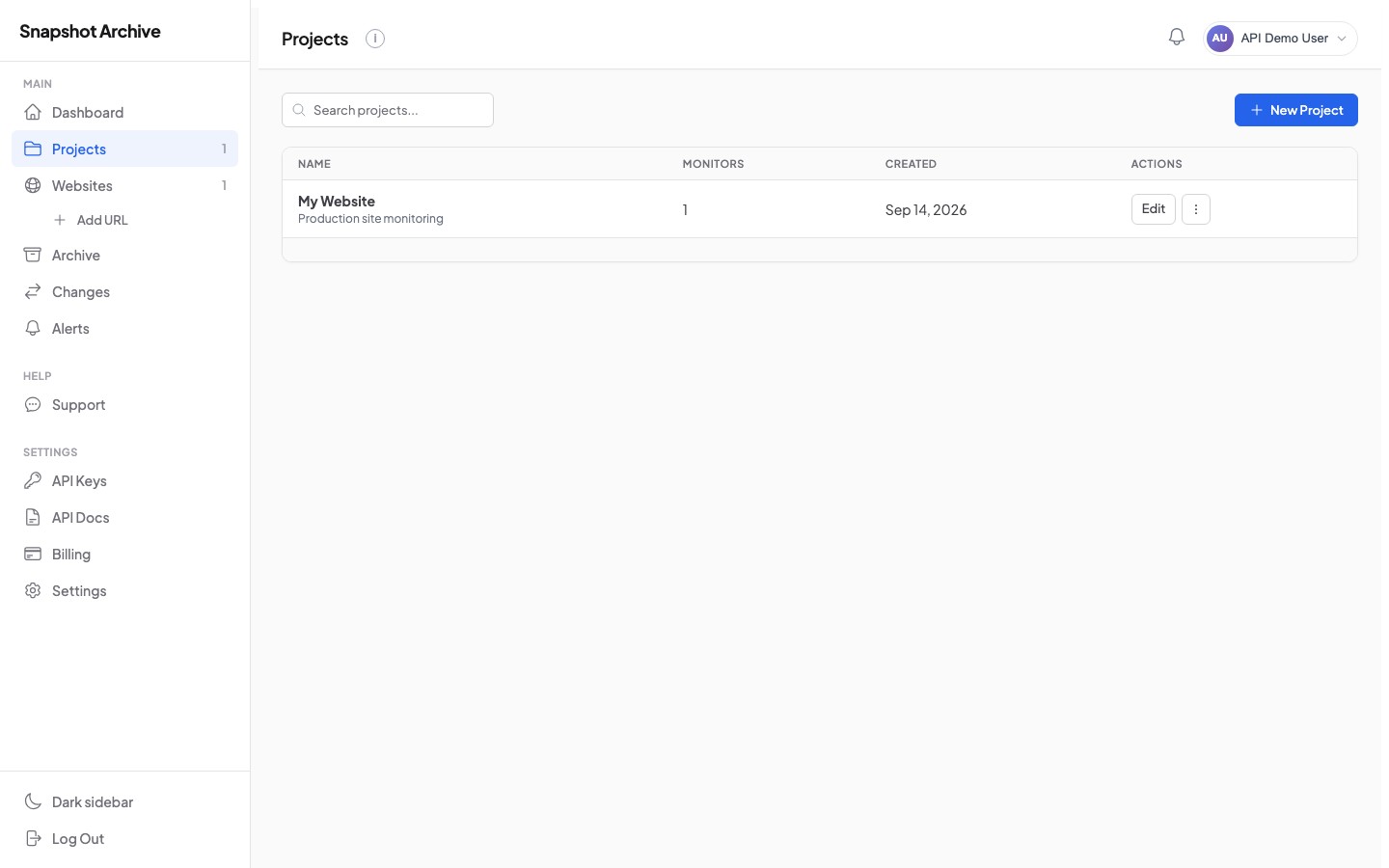
Get, update, and delete a project
Use the project id from the create or list response to retrieve, modify, or remove a project. When updating, send only the fields you want to change — omitted fields keep their current values.
Retrieve a single project with its monitors_count.
Update a project's name or description. Send only the fields you want to change.
# Update project name
curl -X PATCH https://api.snapshotarchive.com/v1/projects/1 \
  -H "Authorization: Bearer YOUR_API_KEY" \
  -H "Content-Type: application/json" \
  -H "Accept: application/json" \
-d '{"name": "Production Sites"}'$response = Http::withToken('YOUR_API_KEY')
->patch('https://api.snapshotarchive.com/v1/projects/1', [
'name' => 'Production Sites',
]);
$project = $response->json('data');resp = requests.patch(f'{BASE}/projects/1', headers=headers,
json={'name': 'Production Sites'})
project = resp.json()['data']const { data: project } = await fetch(`${BASE}/projects/1`, {
method: 'PATCH', headers: { ...headers, 'Content-Type': 'application/json' },
body: JSON.stringify({ name: 'Production Sites' }),
}).then(r => r.json());uri = URI("#{BASE}/projects/1")
req = Net::HTTP::Patch.new(uri, headers)
req.body = { name: 'Production Sites' }.to_json
req['Content-Type'] = 'application/json'
resp = Net::HTTP.start(uri.hostname, uri.port, use_ssl: true) { |h| h.request(req) }
project = JSON.parse(resp.body)['data']body := strings.NewReader(`{"name":"Production Sites"}`)
req, _ := http.NewRequest("PATCH", BASE+"/projects/1", body)
req.Header.Set("Authorization", "Bearer "+apiKey)
req.Header.Set("Content-Type", "application/json")
resp, _ := http.DefaultClient.Do(req)
defer resp.Body.Close()Delete a project. Returns 204 No Content on success. Monitors in the project are not deleted — they become unassigned.
curl -X DELETE https://api.snapshotarchive.com/v1/projects/1 \
  -H "Authorization: Bearer YOUR_API_KEY" \
-H "Accept: application/json"$response = Http::withToken('YOUR_API_KEY')
->delete('https://api.snapshotarchive.com/v1/projects/1');
// 204 No Contentresponse = requests.delete(
'https://api.snapshotarchive.com/v1/projects/1',
headers={'Authorization': 'Bearer YOUR_API_KEY'}
) # 204 No Contentconst response = await fetch('https://api.snapshotarchive.com/v1/projects/1', {
method: 'DELETE',
headers: { 'Authorization': 'Bearer YOUR_API_KEY' }
}); // 204 No Contenturi = URI('https://api.snapshotarchive.com/v1/projects/1')
req = Net::HTTP::Delete.new(uri)
req['Authorization'] = 'Bearer YOUR_API_KEY'
res = Net::HTTP.start(uri.hostname, uri.port, use_ssl: true) { |h| h.request(req) }
# 204 No Contentreq, _ := http.NewRequest("DELETE", "https://api.snapshotarchive.com/v1/projects/1", nil)
req.Header.Set("Authorization", "Bearer YOUR_API_KEY")
resp, _ := http.DefaultClient.Do(req)
// 204 No ContentList monitors in a project
If you need to see only the monitors belonging to a specific project, use this endpoint instead of filtering the global monitors list. It supports the same filtering and sorting options as the main monitors list.
Query parameters
| Parameter | Type | Description |
|---|---|---|
status | string | Filter: active, paused, error, plan_exceeded |
sort | string | created_at (default), updated_at, url, name, status |
order | string | desc (default) or asc |
per_page | integer | Items per page (default: 20) |
# List active monitors in project 1
curl "https://api.snapshotarchive.com/v1/projects/1/monitors?status=active" \
  -H "Authorization: Bearer YOUR_API_KEY" \
-H "Accept: application/json"$response = Http::withToken('YOUR_API_KEY')
->get('https://api.snapshotarchive.com/v1/projects/1/monitors', [
'status' => 'active',
]);
$monitors = $response->json('data');resp = requests.get(f'{BASE}/projects/1/monitors',
headers=headers, params={'status': 'active'})
monitors = resp.json()['data']const { data: monitors } = await fetch(
`${BASE}/projects/1/monitors?status=active`, { headers }
).then(r => r.json());uri = URI("#{BASE}/projects/1/monitors?status=active")
req = Net::HTTP::Get.new(uri, headers)
resp = Net::HTTP.start(uri.hostname, uri.port, use_ssl: true) { |h| h.request(req) }
monitors = JSON.parse(resp.body)['data']req, _ := http.NewRequest("GET", BASE+"/projects/1/monitors?status=active", nil)
req.Header.Set("Authorization", "Bearer "+apiKey)
resp, _ := http.DefaultClient.Do(req)
defer resp.Body.Close()
var result map[string]interface{}
json.NewDecoder(resp.Body).Decode(&result)Monitors
Monitors are the core of Snapshot Archive. Each monitor tracks a single URL and captures screenshots on a schedule you define. You can configure viewport dimensions, device type, capture timing, CSS selectors to hide or wait for, HTTP authentication, custom headers, cookies, and visual diff settings — all through the API.
The typical workflow is: create a monitor → let it capture on schedule (or trigger manually) → retrieve snapshots → optionally compare them using visual diffs.
List monitors
Returns all monitors on your account with flexible filtering options. You can narrow results by status, project, URL pattern, name, or tag. This is often the first call you make when connecting to the API — it gives you the monitor IDs you need for all other operations.
Query parameters
| Parameter | Type | Description |
|---|---|---|
project_id | integer | Filter monitors by project |
status | string | Filter: active, paused, error, plan_exceeded |
url | string | Search by URL (partial match) |
name | string | Search by name (partial match) |
tag | string | Filter by tag name (exact match) |
sort | string | created_at (default), updated_at, url, name, status, last_snapshot_at, next_snapshot_at |
order | string | desc (default) or asc |
per_page | integer | Items per page (default: 20) |
# List all active monitors
curl "https://api.snapshotarchive.com/v1/monitors?status=active" \
  -H "Authorization: Bearer YOUR_API_KEY" \
  -H "Accept: application/json"

# Search by URL
curl "https://api.snapshotarchive.com/v1/monitors?url=example.com" \
  -H "Authorization: Bearer YOUR_API_KEY" \
-H "Accept: application/json"$response = Http::withToken('YOUR_API_KEY')
->get('https://api.snapshotarchive.com/v1/monitors', ['status' => 'active']);
foreach ($response->json('data') as $monitor) {
echo "{$monitor['id']}: {$monitor['url']} — {$monitor['status']}\n";
}resp = requests.get(f'{BASE}/monitors', headers=headers, params={'status': 'active'})
for m in resp.json()['data']:
print(f"{m['id']}: {m['url']} — {m['status']}")const { data: monitors } = await fetch(`${BASE}/monitors?status=active`, { headers })
.then(r => r.json());
monitors.forEach(m => console.log(`${m.id}: ${m.url} — ${m.status}`));uri = URI("#{BASE}/monitors?status=active")
req = Net::HTTP::Get.new(uri, headers)
resp = Net::HTTP.start(uri.hostname, uri.port, use_ssl: true) { |h| h.request(req) }
monitors = JSON.parse(resp.body)['data']
monitors.each { |m| puts "#{m['id']}: #{m['url']} — #{m['status']}" }req, _ := http.NewRequest("GET", BASE+"/monitors?status=active", nil)
req.Header.Set("Authorization", "Bearer "+apiKey)
resp, _ := http.DefaultClient.Do(req)
defer resp.Body.Close()
var result struct { Data []map[string]interface{} `json:"data"` }
json.NewDecoder(resp.Body).Decode(&result)Response
Each monitor in the response includes its configuration, status, schedule timestamps, and nested project object.
{
  "data": [
    {
      "id": 42,
      "url": "https://example.com",
      "name": "Example Homepage",
      "status": "active",
      "frequency_minutes": 360,
      "viewport_width": 1920,
      "viewport_height": 1080,
      "device_type": "desktop",
      "full_page": true,
      "diff_enabled": true,
      "diff_threshold_percent": "5.00",
      "alert_enabled": true,
      "alert_email": "[email protected]",
      "last_snapshot_at": "2026-10-01T11:00:00Z",
      "next_snapshot_at": "2026-10-01T17:00:00Z",
      "project": { "id": 1, "name": "My Website" },
      "created_at": "2026-09-15T10:00:00Z"
    }
  ],
  "meta": { "current_page": 1, "per_page": 20, "total": 1, "last_page": 1 }
}
Create a monitor
Creates a new monitor that will capture screenshots of the given URL on a recurring schedule. The minimum required fields are url, frequency_minutes, device_type, viewport_width, and viewport_height. Everything else is optional and lets you fine-tune the capture behavior.
The API validates the frequency against your plan — for example, Starter plans can capture at most once per day (1440 minutes), while Business plans allow hourly captures (60 minutes). If you request a frequency your plan doesn't support, you'll receive a frequency_not_allowed error.
Request body
| Field | Type | Required | Description |
|---|---|---|---|
url | string | Yes | URL to monitor (max 2048 chars, must be a valid URL) |
name | string | No | Display name (max 255 chars) |
project_id | integer | No | Assign to a project |
frequency_minutes | integer | Yes | Capture interval in minutes (min 60, depends on plan) |
device_type | string | Yes | desktop or mobile |
viewport_width | integer | Yes | Viewport width in pixels (320–3840) |
viewport_height | integer | Yes | Viewport height in pixels (480–2160) |
full_page | boolean | No | Capture full scrollable page (default: false) |
delay_seconds | integer | No | Wait before capture, 0–30 seconds |
wait_for_selector | string | No | CSS selector to wait for before capturing |
hide_selectors | array | No | CSS selectors to hide (max 20 items) |
click_selector | string | No | CSS selector to click before capturing |
clip_selector | string | No | CSS selector to clip screenshot to |
disable_animations | boolean | No | Disable CSS animations and transitions |
http_auth_user | string | No | HTTP Basic auth username |
http_auth_password | string | No | HTTP Basic auth password |
custom_headers | array | No | Custom HTTP headers (max 20), each with name and value |
cookies | array | No | Cookies to set (max 20), each with name, value, domain |
diff_enabled | boolean | No | Enable visual change detection |
diff_threshold_percent | number | No | Change threshold to trigger alerts (0–100) |
watermark_enabled | boolean | No | Add timestamp watermark to screenshots |
alert_enabled | boolean | No | Enable change alerts |
alert_email | string | No | Email for change notifications |
alert_webhook_url | string | No | Webhook URL for change notifications |
alert_slack_webhook_url | string | No | Slack incoming webhook URL |
alert_discord_webhook_url | string | No | Discord webhook URL |
curl -X POST https://api.snapshotarchive.com/v1/monitors \
  -H "Authorization: Bearer YOUR_API_KEY" \
  -H "Content-Type: application/json" \
  -H "Accept: application/json" \
  -d '{
    "url": "https://example.com",
    "name": "Example Homepage",
    "project_id": 1,
    "frequency_minutes": 360,
    "device_type": "desktop",
    "viewport_width": 1920,
    "viewport_height": 1080,
    "full_page": true,
    "hide_selectors": [".cookie-banner", "#popup"],
    "diff_threshold_percent": 5,
    "alert_enabled": true,
    "alert_email": "[email protected]"
}'$response = Http::withToken('YOUR_API_KEY')
->post('https://api.snapshotarchive.com/v1/monitors', [
'url' => 'https://example.com',
'name' => 'Example Homepage',
'project_id' => 1,
'frequency_minutes' => 360,
'device_type' => 'desktop',
'viewport_width' => 1920,
'viewport_height' => 1080,
'full_page' => true,
'hide_selectors' => ['.cookie-banner', '#popup'],
'diff_threshold_percent' => 5,
'alert_enabled' => true,
'alert_email' => '[email protected]',
]);
$monitor = $response->json('data');resp = requests.post(f'{BASE}/monitors', headers=headers, json={
'url': 'https://example.com',
'name': 'Example Homepage',
'project_id': 1,
'frequency_minutes': 360,
'device_type': 'desktop',
'viewport_width': 1920,
'viewport_height': 1080,
'full_page': True,
'hide_selectors': ['.cookie-banner', '#popup'],
'diff_threshold_percent': 5,
'alert_enabled': True,
'alert_email': '[email protected]',
})
monitor = resp.json()['data']const { data: monitor } = await fetch(`${BASE}/monitors`, {
method: 'POST', headers,
body: JSON.stringify({
url: 'https://example.com', name: 'Example Homepage',
project_id: 1, frequency_minutes: 360, device_type: 'desktop',
viewport_width: 1920, viewport_height: 1080, full_page: true,
hide_selectors: ['.cookie-banner', '#popup'],
diff_threshold_percent: 5, alert_enabled: true,
alert_email: '[email protected]',
}),
}).then(r => r.json());uri = URI("#{BASE}/monitors")
req = Net::HTTP::Post.new(uri, headers)
req.body = { url: 'https://example.com', name: 'Example Homepage',
project_id: 1, frequency_minutes: 360, device_type: 'desktop',
viewport_width: 1920, viewport_height: 1080, full_page: true,
hide_selectors: ['.cookie-banner', '#popup'],
diff_threshold_percent: 5, alert_enabled: true,
alert_email: '[email protected]' }.to_json
resp = Net::HTTP.start(uri.hostname, uri.port, use_ssl: true) { |h| h.request(req) }
monitor = JSON.parse(resp.body)['data']payload := map[string]interface{}{
"url": "https://example.com", "name": "Example Homepage",
"project_id": 1, "frequency_minutes": 360, "device_type": "desktop",
"viewport_width": 1920, "viewport_height": 1080, "full_page": true,
"hide_selectors": []string{".cookie-banner", "#popup"},
"diff_threshold_percent": 5, "alert_enabled": true,
"alert_email": "[email protected]",
}
body, _ := json.Marshal(payload)
req, _ := http.NewRequest("POST", BASE+"/monitors", bytes.NewReader(body))
req.Header.Set("Authorization", "Bearer "+apiKey)
req.Header.Set("Content-Type", "application/json")
resp, _ := http.DefaultClient.Do(req)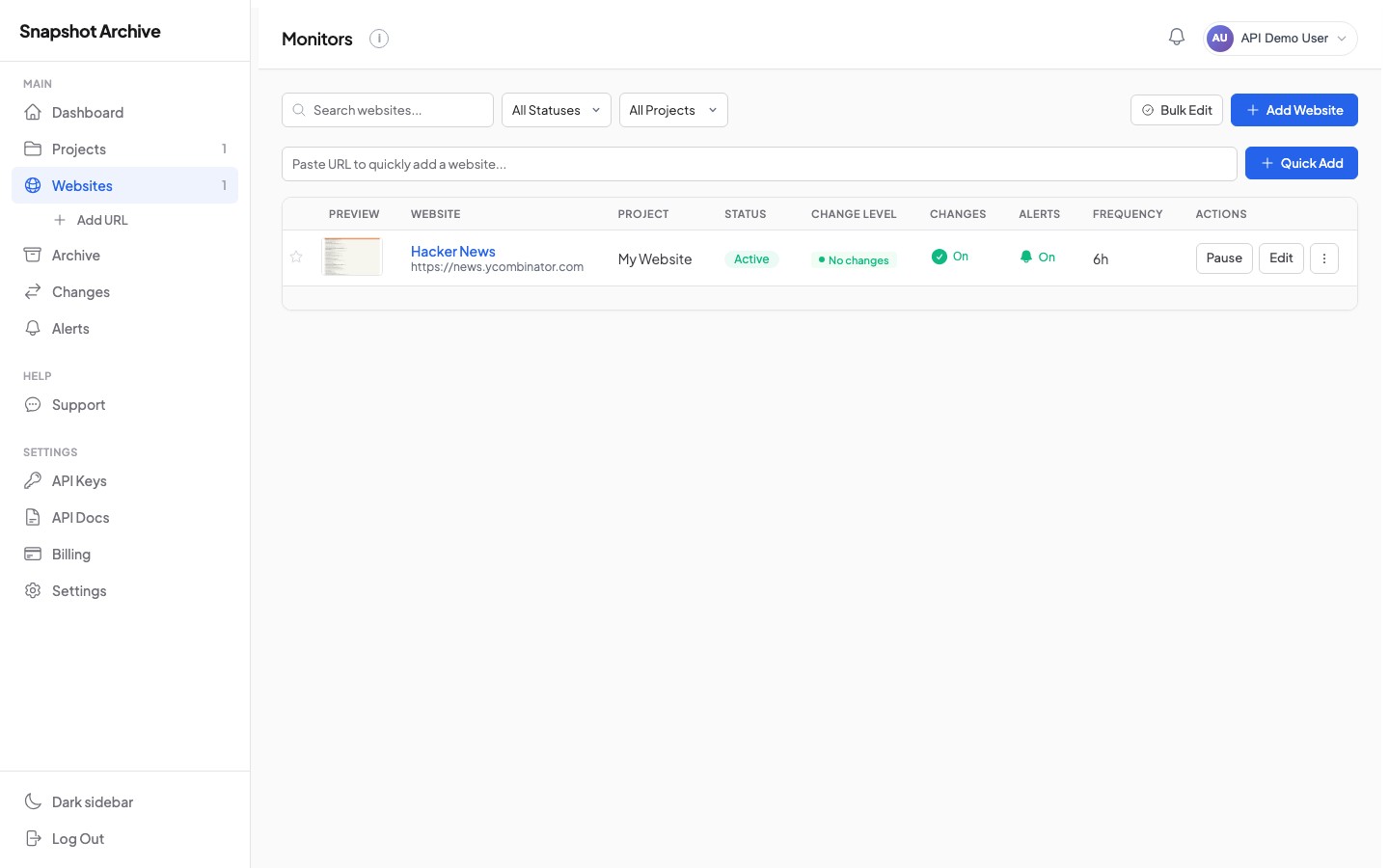
Get a monitor
Retrieves a single monitor with all its configuration, plus its latest snapshot and assigned tags. This is useful for checking the current state of a monitor or reading its settings before making changes.
curl "https://api.snapshotarchive.com/v1/monitors/42" \
  -H "Authorization: Bearer YOUR_API_KEY" \
-H "Accept: application/json"$client = new \GuzzleHttp\Client();
$response = $client->get('https://api.snapshotarchive.com/v1/monitors/42', [
'headers' => [
'Authorization' => 'Bearer YOUR_API_KEY',
'Accept' => 'application/json',
],
]);
$data = json_decode($response->getBody(), true);import requests
response = requests.get(
"https://api.snapshotarchive.com/v1/monitors/42",
headers={
"Authorization": "Bearer YOUR_API_KEY",
"Accept": "application/json",
},
)
data = response.json()const response = await fetch("https://api.snapshotarchive.com/v1/monitors/42", {
headers: {
"Authorization": "Bearer YOUR_API_KEY",
"Accept": "application/json",
},
});
const data = await response.json();require "net/http"
require "json"
uri = URI("https://api.snapshotarchive.com/v1/monitors/42")
http = Net::HTTP.new(uri.host, uri.port)
http.use_ssl = true
request = Net::HTTP::Get.new(uri)
request["Authorization"] = "Bearer YOUR_API_KEY"
request["Accept"] = "application/json"
response = http.request(request)
data = JSON.parse(response.body)req, _ := http.NewRequest("GET", "https://api.snapshotarchive.com/v1/monitors/42", nil)
req.Header.Set("Authorization", "Bearer YOUR_API_KEY")
req.Header.Set("Accept", "application/json")
client := &http.Client{}
resp, _ := client.Do(req)
defer resp.Body.Close()The response includes a latest_snapshot object (if one exists) and an array of tags, so you don't need separate API calls to get that information.
Update a monitor
Send a PATCH request with only the fields you want to change. Omitted fields keep their current values. This is a partial update — you don't need to re-send the entire monitor configuration.
# Change frequency and enable full-page capture
curl -X PATCH https://api.snapshotarchive.com/v1/monitors/42 \
  -H "Authorization: Bearer YOUR_API_KEY" \
  -H "Content-Type: application/json" \
  -H "Accept: application/json" \
-d '{"frequency_minutes": 360, "full_page": true}'$client = new \GuzzleHttp\Client();
$response = $client->patch('https://api.snapshotarchive.com/v1/monitors/42', [
'headers' => [
'Authorization' => 'Bearer YOUR_API_KEY',
'Accept' => 'application/json',
'Content-Type' => 'application/json',
],
'json' => [
'frequency_minutes' => 360,
'full_page' => true,
],
]);
$data = json_decode($response->getBody(), true);import requests
response = requests.patch(
"https://api.snapshotarchive.com/v1/monitors/42",
headers={
"Authorization": "Bearer YOUR_API_KEY",
"Accept": "application/json",
},
json={"frequency_minutes": 360, "full_page": True},
)
data = response.json()const response = await fetch("https://api.snapshotarchive.com/v1/monitors/42", {
method: "PATCH",
headers: {
"Authorization": "Bearer YOUR_API_KEY",
"Accept": "application/json",
"Content-Type": "application/json",
},
body: JSON.stringify({ frequency_minutes: 360, full_page: true }),
});
const data = await response.json();require "net/http"
require "json"
uri = URI("https://api.snapshotarchive.com/v1/monitors/42")
http = Net::HTTP.new(uri.host, uri.port)
http.use_ssl = true
request = Net::HTTP::Patch.new(uri)
request["Authorization"] = "Bearer YOUR_API_KEY"
request["Accept"] = "application/json"
request["Content-Type"] = "application/json"
request.body = { frequency_minutes: 360, full_page: true }.to_json
response = http.request(request)
data = JSON.parse(response.body)payload := `{"frequency_minutes": 360, "full_page": true}`
req, _ := http.NewRequest("PATCH", "https://api.snapshotarchive.com/v1/monitors/42", strings.NewReader(payload))
req.Header.Set("Authorization", "Bearer YOUR_API_KEY")
req.Header.Set("Accept", "application/json")
req.Header.Set("Content-Type", "application/json")
client := &http.Client{}
resp, _ := client.Do(req)
defer resp.Body.Close()The request body accepts the same fields as Create Monitor. If you update frequency_minutes to a value your plan doesn't support, you'll get a frequency_not_allowed error.
Delete a monitor
Permanently removes a monitor and all its associated snapshots. This action cannot be undone. Returns 204 No Content on success.
curl -X DELETE https://api.snapshotarchive.com/v1/monitors/42 \
  -H "Authorization: Bearer YOUR_API_KEY" \
-H "Accept: application/json"$response = Http::withToken('YOUR_API_KEY')
->delete('https://api.snapshotarchive.com/v1/monitors/42');
// 204 No Contentresponse = requests.delete(
'https://api.snapshotarchive.com/v1/monitors/42',
headers={'Authorization': 'Bearer YOUR_API_KEY'}
) # 204 No Contentconst response = await fetch('https://api.snapshotarchive.com/v1/monitors/42', {
method: 'DELETE',
headers: { 'Authorization': 'Bearer YOUR_API_KEY' }
}); // 204 No Contenturi = URI('https://api.snapshotarchive.com/v1/monitors/42')
req = Net::HTTP::Delete.new(uri)
req['Authorization'] = 'Bearer YOUR_API_KEY'
res = Net::HTTP.start(uri.hostname, uri.port, use_ssl: true) { |h| h.request(req) }
# 204 No Contentreq, _ := http.NewRequest("DELETE", "https://api.snapshotarchive.com/v1/monitors/42", nil)
req.Header.Set("Authorization", "Bearer YOUR_API_KEY")
resp, _ := http.DefaultClient.Do(req)
// 204 No ContentTrigger a snapshot
Triggers an immediate screenshot capture outside the regular schedule. The capture happens asynchronously — the API returns 202 Accepted with a snapshot_id you can poll until the screenshot is ready. Typical capture time is 10–30 seconds, depending on page complexity.
If a capture is already in progress for this monitor, the API returns 409 Conflict to prevent duplicate captures.
Query parameters
| Parameter | Type | Description |
|---|---|---|
wait | boolean | If true, the request blocks until the capture completes (up to 90 seconds). Default: false. |
# Async (returns immediately with snapshot_id)
curl -X POST https://api.snapshotarchive.com/v1/monitors/42/trigger \
  -H "Authorization: Bearer YOUR_API_KEY" \
  -H "Accept: application/json"

# Sync (waits up to 90s for result)
curl -X POST "https://api.snapshotarchive.com/v1/monitors/42/trigger?wait=true" \
  -H "Authorization: Bearer YOUR_API_KEY" \
-H "Accept: application/json"$response = Http::withToken('YOUR_API_KEY')
->post('https://api.snapshotarchive.com/v1/monitors/42/trigger');
$snapshotId = $response->json('data.snapshot_id');resp = requests.post(f'{BASE}/monitors/42/trigger', headers=headers)
snapshot_id = resp.json()['data']['snapshot_id']const { data } = await fetch(`${BASE}/monitors/42/trigger`, {
method: 'POST', headers
}).then(r => r.json());
const snapshotId = data.snapshot_id;uri = URI("#{BASE}/monitors/42/trigger")
req = Net::HTTP::Post.new(uri, headers)
resp = Net::HTTP.start(uri.hostname, uri.port, use_ssl: true) { |h| h.request(req) }
snapshot_id = JSON.parse(resp.body)['data']['snapshot_id']req, _ := http.NewRequest("POST", BASE+"/monitors/42/trigger", nil)
req.Header.Set("Authorization", "Bearer "+apiKey)
resp, _ := http.DefaultClient.Do(req)
defer resp.Body.Close()
var result struct { Data struct { SnapshotID string `json:"snapshot_id"` } `json:"data"` }
json.NewDecoder(resp.Body).Decode(&result)Async response (202)
{
  "data": {
    "message": "Snapshot queued successfully.",
    "snapshot_id": "9e8f7a6b-5c4d-3e2f-1a0b-9c8d7e6f5a4b"
  }
}GET /v1/snapshots/{snapshot_id} until status changes from pending to completed or failed. Alternatively, set up webhooks to receive a notification when the capture finishes.
Pause and resume a monitor
Pausing a monitor stops all scheduled captures without deleting the monitor or its data. This is useful when you're doing maintenance on the target site or want to temporarily stop monitoring. When you resume, the next capture is scheduled immediately based on the monitor's frequency.
Pauses the monitor. Returns 409 if already paused.
Resumes a paused monitor and schedules the next capture. Returns 409 if the monitor is not paused.
# Pause
curl -X POST https://api.snapshotarchive.com/v1/monitors/42/pause \
  -H "Authorization: Bearer YOUR_API_KEY" -H "Accept: application/json"

# Resume
curl -X POST https://api.snapshotarchive.com/v1/monitors/42/resume \
-H "Authorization: Bearer YOUR_API_KEY" -H "Accept: application/json"$client = new \GuzzleHttp\Client();
$headers = [
'Authorization' => 'Bearer YOUR_API_KEY',
'Accept' => 'application/json',
];
// Pause
$response = $client->post('https://api.snapshotarchive.com/v1/monitors/42/pause', [
'headers' => $headers,
]);
// Resume
$response = $client->post('https://api.snapshotarchive.com/v1/monitors/42/resume', [
'headers' => $headers,
]);import requests
headers = {
"Authorization": "Bearer YOUR_API_KEY",
"Accept": "application/json",
}
# Pause
requests.post(
"https://api.snapshotarchive.com/v1/monitors/42/pause",
headers=headers,
)
# Resume
requests.post(
"https://api.snapshotarchive.com/v1/monitors/42/resume",
headers=headers,
)const headers = {
"Authorization": "Bearer YOUR_API_KEY",
"Accept": "application/json",
};
// Pause
await fetch("https://api.snapshotarchive.com/v1/monitors/42/pause", {
method: "POST",
headers,
});
// Resume
await fetch("https://api.snapshotarchive.com/v1/monitors/42/resume", {
method: "POST",
headers,
});require "net/http"
# Pause
uri = URI("https://api.snapshotarchive.com/v1/monitors/42/pause")
http = Net::HTTP.new(uri.host, uri.port)
http.use_ssl = true
request = Net::HTTP::Post.new(uri)
request["Authorization"] = "Bearer YOUR_API_KEY"
request["Accept"] = "application/json"
http.request(request)
# Resume
uri = URI("https://api.snapshotarchive.com/v1/monitors/42/resume")
request = Net::HTTP::Post.new(uri)
request["Authorization"] = "Bearer YOUR_API_KEY"
request["Accept"] = "application/json"
http.request(request)client := &http.Client{}
// Pause
req, _ := http.NewRequest("POST", "https://api.snapshotarchive.com/v1/monitors/42/pause", nil)
req.Header.Set("Authorization", "Bearer YOUR_API_KEY")
req.Header.Set("Accept", "application/json")
resp, _ := client.Do(req)
resp.Body.Close()
// Resume
req, _ = http.NewRequest("POST", "https://api.snapshotarchive.com/v1/monitors/42/resume", nil)
req.Header.Set("Authorization", "Bearer YOUR_API_KEY")
req.Header.Set("Accept", "application/json")
resp, _ = client.Do(req)
resp.Body.Close()Snapshots
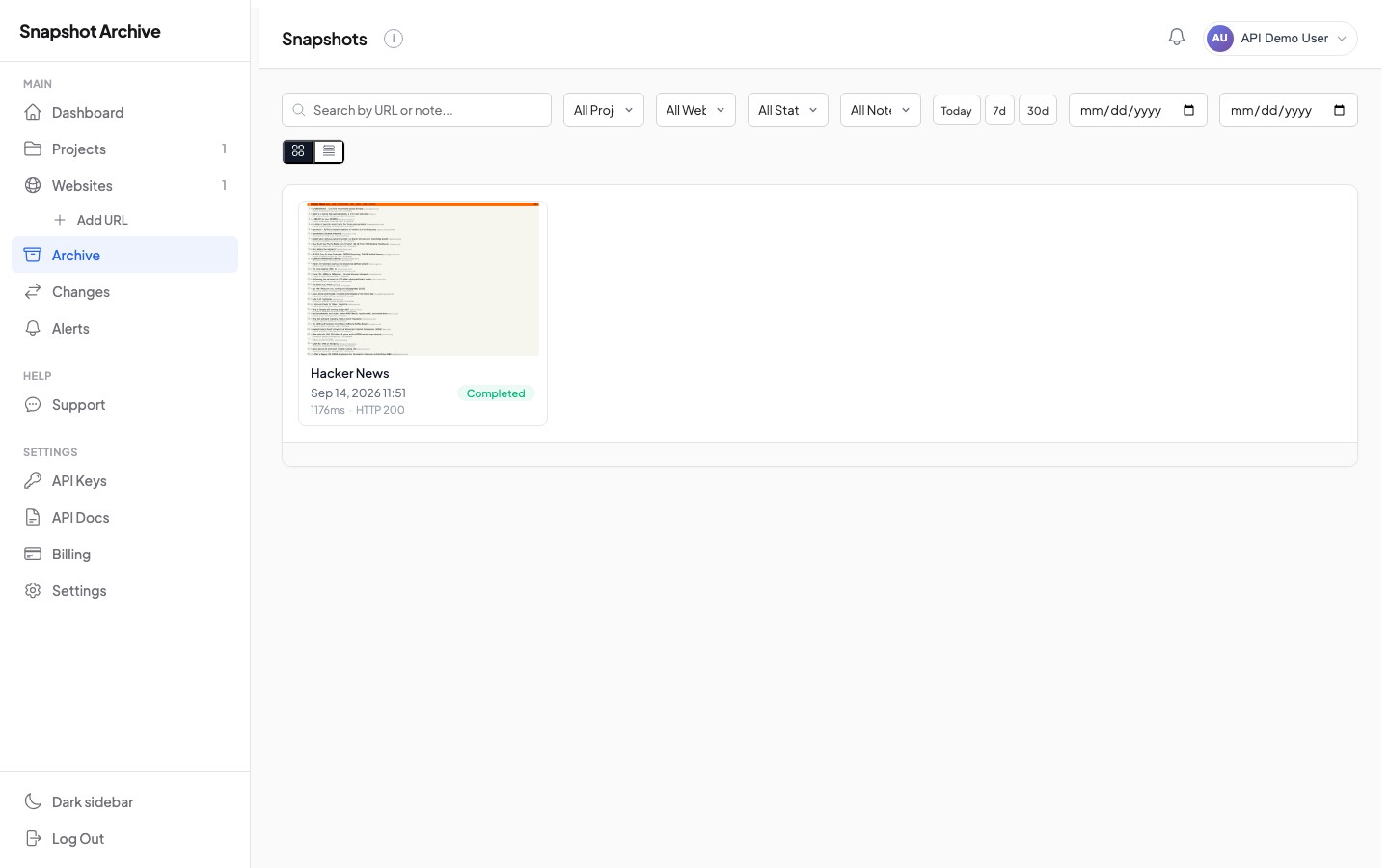
Snapshots are the captured results — each one contains a screenshot image, and optionally an on-the-fly PDF export and HTML source. Snapshots belong to a monitor and are created either automatically (on schedule) or manually (via the trigger endpoint). Each snapshot tracks the HTTP status code, response time, and page weight of the captured page.
List snapshots
Returns snapshots for a specific monitor, newest first. You can filter by date range and status — useful for pulling snapshots from a specific time period or finding only failed captures. The response includes signed URLs for downloading each file type.
Query parameters
| Parameter | Type | Description |
|---|---|---|
captured_after | string | Only snapshots after this date (ISO 8601, e.g. 2026-09-01) |
captured_before | string | Only snapshots before this date |
status | string | Filter: completed, failed, pending, processing |
sort | string | captured_at (default), created_at, http_status, response_time_ms, page_weight_bytes |
order | string | desc (default) or asc |
per_page | integer | Items per page (default: 20) |
# Last week's completed snapshots
curl "https://api.snapshotarchive.com/v1/monitors/42/snapshots?status=completed&captured_after=2026-09-24" \
  -H "Authorization: Bearer YOUR_API_KEY" \
-H "Accept: application/json"$response = Http::withToken('YOUR_API_KEY')
->get('https://api.snapshotarchive.com/v1/monitors/42/snapshots', [
'status' => 'completed',
'captured_after' => '2026-09-24',
]);
$snapshots = $response->json('data');resp = requests.get(f'{BASE}/monitors/42/snapshots', headers=headers,
params={'status': 'completed', 'captured_after': '2026-09-24'})
snapshots = resp.json()['data']const { data: snapshots } = await fetch(
`${BASE}/monitors/42/snapshots?status=completed&captured_after=2026-09-24`,
{ headers }
).then(r => r.json());uri = URI("#{BASE}/monitors/42/snapshots?status=completed&captured_after=2026-09-24")
req = Net::HTTP::Get.new(uri, headers)
resp = Net::HTTP.start(uri.hostname, uri.port, use_ssl: true) { |h| h.request(req) }
snapshots = JSON.parse(resp.body)['data']req, _ := http.NewRequest("GET",
BASE+"/monitors/42/snapshots?status=completed&captured_after=2026-09-24", nil)
req.Header.Set("Authorization", "Bearer "+apiKey)
resp, _ := http.DefaultClient.Do(req)Response
{
  "data": [
    {
      "id": "9e8f7a6b-5c4d-3e2f-1a0b-9c8d7e6f5a4b",
      "monitor_id": 42,
      "status": "completed",
      "http_status": 200,
      "response_time_ms": 1250,
      "page_weight_bytes": 1845000,
      "files": {
        "screenshot_url": "https://storage.example.com/signed-url...",
        "pdf_url": "https://api.snapshotarchive.com/v1/snapshots/9e8f.../pdf",
        "html_url": "https://storage.example.com/signed-url..."
      },
      "captured_at": "2026-09-30T12:00:00Z",
      "created_at": "2026-09-30T12:00:00Z"
    }
  ],
  "meta": { "current_page": 1, "per_page": 20, "total": 47, "last_page": 3 }
}
Get the latest snapshot
A shortcut to retrieve the most recent completed snapshot for a monitor. Instead of listing snapshots and picking the first one, this gives you the latest result directly. Returns 404 if the monitor has no completed snapshots yet.
curl "https://api.snapshotarchive.com/v1/monitors/42/latest-snapshot" \
  -H "Authorization: Bearer YOUR_API_KEY" \
-H "Accept: application/json"$client = new \GuzzleHttp\Client();
$response = $client->get('https://api.snapshotarchive.com/v1/monitors/42/latest-snapshot', [
'headers' => [
'Authorization' => 'Bearer YOUR_API_KEY',
'Accept' => 'application/json',
],
]);
$data = json_decode($response->getBody(), true);import requests
response = requests.get(
"https://api.snapshotarchive.com/v1/monitors/42/latest-snapshot",
headers={
"Authorization": "Bearer YOUR_API_KEY",
"Accept": "application/json",
},
)
data = response.json()const response = await fetch("https://api.snapshotarchive.com/v1/monitors/42/latest-snapshot", {
headers: {
"Authorization": "Bearer YOUR_API_KEY",
"Accept": "application/json",
},
});
const data = await response.json();require "net/http"
require "json"
uri = URI("https://api.snapshotarchive.com/v1/monitors/42/latest-snapshot")
http = Net::HTTP.new(uri.host, uri.port)
http.use_ssl = true
request = Net::HTTP::Get.new(uri)
request["Authorization"] = "Bearer YOUR_API_KEY"
request["Accept"] = "application/json"
response = http.request(request)
data = JSON.parse(response.body)req, _ := http.NewRequest("GET", "https://api.snapshotarchive.com/v1/monitors/42/latest-snapshot", nil)
req.Header.Set("Authorization", "Bearer YOUR_API_KEY")
req.Header.Set("Accept", "application/json")
client := &http.Client{}
resp, _ := client.Do(req)
defer resp.Body.Close()Get a snapshot by UUID
Retrieves a single snapshot by its UUID. The response includes download URLs for the screenshot, PDF, and HTML files (if available). Use this to poll a snapshot's status after triggering a capture — check the status field until it becomes completed or failed.
curl "https://api.snapshotarchive.com/v1/snapshots/9e8f7a6b-5c4d-3e2f-1a0b-9c8d7e6f5a4b" \
  -H "Authorization: Bearer YOUR_API_KEY" \
-H "Accept: application/json"$client = new \GuzzleHttp\Client();
$response = $client->get('https://api.snapshotarchive.com/v1/snapshots/9e8f7a6b-5c4d-3e2f-1a0b-9c8d7e6f5a4b', [
'headers' => [
'Authorization' => 'Bearer YOUR_API_KEY',
'Accept' => 'application/json',
],
]);
$data = json_decode($response->getBody(), true);import requests
response = requests.get(
"https://api.snapshotarchive.com/v1/snapshots/9e8f7a6b-5c4d-3e2f-1a0b-9c8d7e6f5a4b",
headers={
"Authorization": "Bearer YOUR_API_KEY",
"Accept": "application/json",
},
)
data = response.json()const response = await fetch("https://api.snapshotarchive.com/v1/snapshots/9e8f7a6b-5c4d-3e2f-1a0b-9c8d7e6f5a4b", {
headers: {
"Authorization": "Bearer YOUR_API_KEY",
"Accept": "application/json",
},
});
const data = await response.json();require "net/http"
require "json"
uri = URI("https://api.snapshotarchive.com/v1/snapshots/9e8f7a6b-5c4d-3e2f-1a0b-9c8d7e6f5a4b")
http = Net::HTTP.new(uri.host, uri.port)
http.use_ssl = true
request = Net::HTTP::Get.new(uri)
request["Authorization"] = "Bearer YOUR_API_KEY"
request["Accept"] = "application/json"
response = http.request(request)
data = JSON.parse(response.body)req, _ := http.NewRequest("GET", "https://api.snapshotarchive.com/v1/snapshots/9e8f7a6b-5c4d-3e2f-1a0b-9c8d7e6f5a4b", nil)
req.Header.Set("Authorization", "Bearer YOUR_API_KEY")
req.Header.Set("Accept", "application/json")
client := &http.Client{}
resp, _ := client.Do(req)
defer resp.Body.Close()Snapshot statuses
| Status | Description |
|---|---|
pending | Queued, waiting for processing |
processing | Browser is capturing the page |
completed | Capture finished, files available for download |
failed | Capture failed (check last_error_message on the monitor) |
Delete a snapshot
Permanently removes a snapshot and all its associated files (screenshot, HTML). This cannot be undone. Returns 204 No Content on success.
curl -X DELETE "https://api.snapshotarchive.com/v1/snapshots/9e8f7a6b-5c4d-3e2f-1a0b-9c8d7e6f5a4b" \
  -H "Authorization: Bearer YOUR_API_KEY" \
-H "Accept: application/json"$response = Http::withToken('YOUR_API_KEY')
->delete('https://api.snapshotarchive.com/v1/snapshots/9e8f7a6b-5c4d-3e2f-1a0b-9c8d7e6f5a4b');
// 204 No Contentresponse = requests.delete(
'https://api.snapshotarchive.com/v1/snapshots/9e8f7a6b-5c4d-3e2f-1a0b-9c8d7e6f5a4b',
headers={'Authorization': 'Bearer YOUR_API_KEY'}
) # 204 No Contentconst response = await fetch('https://api.snapshotarchive.com/v1/snapshots/9e8f7a6b-5c4d-3e2f-1a0b-9c8d7e6f5a4b', {
method: 'DELETE',
headers: { 'Authorization': 'Bearer YOUR_API_KEY' }
}); // 204 No Contentuuid = '9e8f7a6b-5c4d-3e2f-1a0b-9c8d7e6f5a4b'
uri = URI("https://api.snapshotarchive.com/v1/snapshots/#{uuid}")
req = Net::HTTP::Delete.new(uri)
req['Authorization'] = 'Bearer YOUR_API_KEY'
res = Net::HTTP.start(uri.hostname, uri.port, use_ssl: true) { |h| h.request(req) }
# 204 No Contentreq, _ := http.NewRequest("DELETE", "https://api.snapshotarchive.com/v1/snapshots/9e8f7a6b-5c4d-3e2f-1a0b-9c8d7e6f5a4b", nil)
req.Header.Set("Authorization", "Bearer YOUR_API_KEY")
resp, _ := http.DefaultClient.Do(req)
// 204 No ContentDownload screenshot, PDF, and HTML
Each completed snapshot can have up to three downloadable files: a PNG screenshot, a PDF document, and the raw HTML source. Use these endpoints to download individual files. The screenshot and PDF endpoints return the file directly; the HTML endpoint redirects to a signed storage URL.
PDF and HTML downloads require a Starter plan or above. If your plan doesn't include these features, the API returns 403.
Download the PNG screenshot image. If watermarking is enabled on the monitor, the watermark is applied dynamically.
Download the PDF export. The PDF is generated on-the-fly from the screenshot with a metadata cover page including capture details and SHA-256 integrity hash. Requires Starter+.
Download the raw HTML source. Redirects to a signed URL. Requires Starter+.
# Download screenshot as PNG
curl -L "https://api.snapshotarchive.com/v1/snapshots/9e8f7a6b-.../screenshot" \
  -H "Authorization: Bearer YOUR_API_KEY" \
  -o screenshot.png

# Download PDF (generated on-the-fly)
curl "https://api.snapshotarchive.com/v1/snapshots/9e8f7a6b-.../pdf" \
  -H "Authorization: Bearer YOUR_API_KEY" \
  -o page.pdf

# Download HTML source
curl -L "https://api.snapshotarchive.com/v1/snapshots/9e8f7a6b-.../html" \
  -H "Authorization: Bearer YOUR_API_KEY" \
-o source.html$uuid = '9e8f7a6b-5c4d-3e2f-1a0b-9c8d7e6f5a4b';
// Download screenshot
$screenshot = Http::withToken('YOUR_API_KEY')
->get("https://api.snapshotarchive.com/v1/snapshots/{$uuid}/screenshot");
Storage::put('screenshot.png', $screenshot->body());
// Download PDF (generated on-the-fly)
$pdf = Http::withToken('YOUR_API_KEY')
->get("https://api.snapshotarchive.com/v1/snapshots/{$uuid}/pdf");
Storage::put('page.pdf', $pdf->body());
// Download HTML source
$html = Http::withToken('YOUR_API_KEY')
->get("https://api.snapshotarchive.com/v1/snapshots/{$uuid}/html");
Storage::put('source.html', $html->body());uuid = '9e8f7a6b-5c4d-3e2f-1a0b-9c8d7e6f5a4b'
headers = {'Authorization': 'Bearer YOUR_API_KEY'}
# Download screenshot
r = requests.get(f'https://api.snapshotarchive.com/v1/snapshots/{uuid}/screenshot',
headers=headers)
with open('screenshot.png', 'wb') as f:
f.write(r.content)
# Download PDF (generated on-the-fly)
r = requests.get(f'https://api.snapshotarchive.com/v1/snapshots/{uuid}/pdf',
headers=headers)
with open('page.pdf', 'wb') as f:
f.write(r.content)
# Download HTML source
r = requests.get(f'https://api.snapshotarchive.com/v1/snapshots/{uuid}/html',
headers=headers)
with open('source.html', 'wb') as f:
f.write(r.content)import fs from 'fs';
const uuid = '9e8f7a6b-5c4d-3e2f-1a0b-9c8d7e6f5a4b';
const headers = { 'Authorization': 'Bearer YOUR_API_KEY' };
const base = `https://api.snapshotarchive.com/v1/snapshots/${uuid}`;
// Download screenshot
const screenshot = await fetch(`${base}/screenshot`, { headers });
fs.writeFileSync('screenshot.png', Buffer.from(await screenshot.arrayBuffer()));
// Download PDF (generated on-the-fly)
const pdf = await fetch(`${base}/pdf`, { headers });
fs.writeFileSync('page.pdf', Buffer.from(await pdf.arrayBuffer()));
// Download HTML source
const html = await fetch(`${base}/html`, { headers, redirect: 'follow' });
fs.writeFileSync('source.html', Buffer.from(await html.arrayBuffer()));uuid = '9e8f7a6b-5c4d-3e2f-1a0b-9c8d7e6f5a4b'
# Download screenshot
uri = URI("https://api.snapshotarchive.com/v1/snapshots/#{uuid}/screenshot")
req = Net::HTTP::Get.new(uri)
req['Authorization'] = 'Bearer YOUR_API_KEY'
res = Net::HTTP.start(uri.hostname, uri.port, use_ssl: true) { |h| h.request(req) }
File.binwrite('screenshot.png', res.body)
# Download PDF (generated on-the-fly)
uri = URI("https://api.snapshotarchive.com/v1/snapshots/#{uuid}/pdf")
req = Net::HTTP::Get.new(uri)
req['Authorization'] = 'Bearer YOUR_API_KEY'
res = Net::HTTP.start(uri.hostname, uri.port, use_ssl: true) { |h| h.request(req) }
File.binwrite('page.pdf', res.body)uuid := "9e8f7a6b-5c4d-3e2f-1a0b-9c8d7e6f5a4b"
base := "https://api.snapshotarchive.com/v1/snapshots/" + uuid
// Download screenshot
req, _ := http.NewRequest("GET", base+"/screenshot", nil)
req.Header.Set("Authorization", "Bearer YOUR_API_KEY")
resp, _ := http.DefaultClient.Do(req)
defer resp.Body.Close()
data, _ := io.ReadAll(resp.Body)
os.WriteFile("screenshot.png", data, 0644)
// Download PDF (generated on-the-fly)
req, _ = http.NewRequest("GET", base+"/pdf", nil)
req.Header.Set("Authorization", "Bearer YOUR_API_KEY")
resp, _ = http.DefaultClient.Do(req)
defer resp.Body.Close()
data, _ = io.ReadAll(resp.Body)
os.WriteFile("page.pdf", data, 0644)Forward snapshot via email
Send a snapshot to one or more email addresses with all available attachments (screenshot, full-page screenshot, HTML source, PDF with metadata). Ideal for compliance archiving, SMTP journaling (e.g. Intradyn, Global Relay), or sending records to a team inbox.
Queue an email to the specified recipient(s) with the snapshot data and files as attachments.
Parameters
| Parameter | Type | Required | Description |
|---|---|---|---|
email | string | Yes | Recipient email address(es), comma-separated. Max 5. |
curl -X POST "https://api.snapshotarchive.com/v1/snapshots/9e8f7a6b-.../forward" \
  -H "Authorization: Bearer YOUR_API_KEY" \
  -H "Content-Type: application/json" \
-d '{"email": "[email protected]"}'$response = Http::withToken('YOUR_API_KEY')
->post('https://api.snapshotarchive.com/v1/snapshots/9e8f7a6b-.../forward', [
'email' => '[email protected]',
]);response = requests.post(
'https://api.snapshotarchive.com/v1/snapshots/9e8f7a6b-.../forward',
headers={'Authorization': 'Bearer YOUR_API_KEY'},
json={'email': '[email protected]'}
)const response = await fetch('https://api.snapshotarchive.com/v1/snapshots/9e8f7a6b-.../forward', {
method: 'POST',
headers: {
'Authorization': 'Bearer YOUR_API_KEY',
'Content-Type': 'application/json'
},
body: JSON.stringify({ email: '[email protected]' })
});uri = URI('https://api.snapshotarchive.com/v1/snapshots/9e8f7a6b-.../forward')
req = Net::HTTP::Post.new(uri, 'Content-Type' => 'application/json')
req['Authorization'] = 'Bearer YOUR_API_KEY'
req.body = { email: '[email protected]' }.to_json
res = Net::HTTP.start(uri.hostname, uri.port, use_ssl: true) { |h| h.request(req) }body := strings.NewReader(`{"email":"[email protected]"}`)
req, _ := http.NewRequest("POST", "https://api.snapshotarchive.com/v1/snapshots/9e8f7a6b-.../forward", body)
req.Header.Set("Authorization", "Bearer YOUR_API_KEY")
req.Header.Set("Content-Type", "application/json")
resp, _ := http.DefaultClient.Do(req)Response
{
  "data": {
    "message": "Snapshot forwarding queued.",
    "recipients": ["[email protected]"],
    "snapshot_id": "9e8f7a6b-5c4d-3e2f-1a0b-9c8d7e6f5a4b"
  }
}
Email contents
The forwarded email includes:
- Subject:
[Snapshot Archive] example.com — 2026-10-01 15:30 UTC - Body: URL, timestamp, HTTP status, page size, response time, SHA-256 hash of HTML source
- Attachments: viewport screenshot, full-page screenshot, HTML source, PDF with metadata cover page
Total attachment size is limited to ~25MB. Files exceeding the limit are skipped automatically.
Auto-forwarding via monitor settings
You can also configure automatic forwarding on a per-monitor basis using the Update Monitor endpoint:
{
  "forward_enabled": true,
  "forward_mode": "all",
  "forward_email": "[email protected], [email protected]",
  "forward_include_screenshot": true,
  "forward_include_full": true,
  "forward_include_html": true,
  "forward_include_pdf": true
}| Field | Type | Description |
|---|---|---|
forward_enabled | boolean | Enable/disable auto-forwarding |
forward_mode | string | all — every capture, changed_only — only significant visual changes, manual_only — no auto-forward |
forward_email | string | Comma-separated recipients (max 5). Defaults to account email. |
forward_include_screenshot | boolean | Attach viewport screenshot |
forward_include_full | boolean | Attach full-page screenshot |
forward_include_html | boolean | Attach HTML source |
forward_include_pdf | boolean | Attach PDF with metadata cover page |
Bulk export as ZIP
Download multiple snapshots from a monitor as a single ZIP archive. You can filter by date range and choose which file types to include. The ZIP organizes files by timestamp, so each snapshot's files are in a clearly labeled folder. Requires Starter plan or above.
Query parameters
| Parameter | Type | Description |
|---|---|---|
captured_after | string | Start date (ISO 8601) |
captured_before | string | End date (ISO 8601) |
include | string | Comma-separated file types: screenshot, pdf, html (default: screenshot) |
limit | integer | Max snapshots to include, 1–50 (default: 50) |
# Export last month's screenshots + PDFs
curl -X POST "https://api.snapshotarchive.com/v1/monitors/42/export" \
  -H "Authorization: Bearer YOUR_API_KEY" \
  -d "captured_after=2026-09-01&captured_before=2026-09-30&include=screenshot,pdf" \
-o export.zip$client = new \GuzzleHttp\Client();
$response = $client->post('https://api.snapshotarchive.com/v1/monitors/42/export', [
'headers' => [
'Authorization' => 'Bearer YOUR_API_KEY',
],
'form_params' => [
'captured_after' => '2026-09-01',
'captured_before' => '2026-09-30',
'include' => 'screenshot,pdf',
],
'sink' => 'export.zip',
]);
// Check X-Export-Snapshot-Count and X-Export-File-Count headersimport requests
response = requests.post(
"https://api.snapshotarchive.com/v1/monitors/42/export",
headers={"Authorization": "Bearer YOUR_API_KEY"},
data={
"captured_after": "2026-09-01",
"captured_before": "2026-09-30",
"include": "screenshot,pdf",
},
stream=True,
)
with open("export.zip", "wb") as f:
for chunk in response.iter_content(chunk_size=8192):
f.write(chunk)const response = await fetch("https://api.snapshotarchive.com/v1/monitors/42/export", {
method: "POST",
headers: {
"Authorization": "Bearer YOUR_API_KEY",
"Content-Type": "application/x-www-form-urlencoded",
},
body: "captured_after=2026-09-01&captured_before=2026-09-30&include=screenshot,pdf",
});
const blob = await response.blob();
// Save blob to filerequire "net/http"
uri = URI("https://api.snapshotarchive.com/v1/monitors/42/export")
http = Net::HTTP.new(uri.host, uri.port)
http.use_ssl = true
request = Net::HTTP::Post.new(uri)
request["Authorization"] = "Bearer YOUR_API_KEY"
request.set_form_data(
"captured_after" => "2026-09-01",
"captured_before" => "2026-09-30",
"include" => "screenshot,pdf"
)
response = http.request(request)
File.open("export.zip", "wb") { |f| f.write(response.body) }data := url.Values{
"captured_after": {"2026-09-01"},
"captured_before": {"2026-09-30"},
"include": {"screenshot,pdf"},
}
req, _ := http.NewRequest("POST", "https://api.snapshotarchive.com/v1/monitors/42/export",
strings.NewReader(data.Encode()))
req.Header.Set("Authorization", "Bearer YOUR_API_KEY")
req.Header.Set("Content-Type", "application/x-www-form-urlencoded")
client := &http.Client{}
resp, _ := client.Do(req)
defer resp.Body.Close()
out, _ := os.Create("export.zip")
defer out.Close()
io.Copy(out, resp.Body)The response headers include X-Export-Snapshot-Count and X-Export-File-Count so you know how many files are in the archive.
Download snapshot package
Download all available files for a single snapshot as a ZIP. The archive includes screenshot.png, document.pdf, and source.html (whichever files exist). Requires Starter plan or above.
curl -L "https://api.snapshotarchive.com/v1/snapshots/9e8f7a6b-.../package" \
  -H "Authorization: Bearer YOUR_API_KEY" \
-o snapshot-package.zip$client = new \GuzzleHttp\Client();
$response = $client->get('https://api.snapshotarchive.com/v1/snapshots/9e8f7a6b-.../package', [
'headers' => [
'Authorization' => 'Bearer YOUR_API_KEY',
],
'sink' => 'snapshot-package.zip',
]);import requests
response = requests.get(
"https://api.snapshotarchive.com/v1/snapshots/9e8f7a6b-.../package",
headers={"Authorization": "Bearer YOUR_API_KEY"},
stream=True,
)
with open("snapshot-package.zip", "wb") as f:
for chunk in response.iter_content(chunk_size=8192):
f.write(chunk)const response = await fetch("https://api.snapshotarchive.com/v1/snapshots/9e8f7a6b-.../package", {
headers: {
"Authorization": "Bearer YOUR_API_KEY",
},
});
const blob = await response.blob();
// Save blob to filerequire "net/http"
uri = URI("https://api.snapshotarchive.com/v1/snapshots/9e8f7a6b-.../package")
http = Net::HTTP.new(uri.host, uri.port)
http.use_ssl = true
request = Net::HTTP::Get.new(uri)
request["Authorization"] = "Bearer YOUR_API_KEY"
response = http.request(request)
File.open("snapshot-package.zip", "wb") { |f| f.write(response.body) }req, _ := http.NewRequest("GET", "https://api.snapshotarchive.com/v1/snapshots/9e8f7a6b-.../package", nil)
req.Header.Set("Authorization", "Bearer YOUR_API_KEY")
client := &http.Client{}
resp, _ := client.Do(req)
defer resp.Body.Close()
out, _ := os.Create("snapshot-package.zip")
defer out.Close()
io.Copy(out, resp.Body)Diffs
Visual diffs compare consecutive snapshots pixel-by-pixel to detect changes. When a monitor captures a new screenshot, the system automatically generates a diff against the previous snapshot. Each diff includes the percentage of pixels that changed, a heat-map image highlighting the changed regions, and a significance flag based on your threshold setting. Requires Starter plan or above.
List diffs
Returns visual diffs for a monitor, with the most recent first. You can filter by date range and change percentage — for example, to find only significant changes above a certain threshold. Each diff links to its before and after snapshots, so you can download both screenshots for comparison.
Query parameters
| Parameter | Type | Description |
|---|---|---|
created_after | string | Filter diffs created after this date |
created_before | string | Filter diffs created before this date |
min_change_percent | number | Only diffs with at least this change % |
max_change_percent | number | Only diffs with at most this change % |
is_significant | boolean | Filter by significance flag |
sort | string | created_at (default), change_percent |
order | string | desc (default) or asc |
per_page | integer | Items per page (default: 20) |
# Get significant changes only
curl "https://api.snapshotarchive.com/v1/monitors/42/diffs?is_significant=true" \
  -H "Authorization: Bearer YOUR_API_KEY" \
-H "Accept: application/json"$client = new \GuzzleHttp\Client();
$response = $client->get('https://api.snapshotarchive.com/v1/monitors/42/diffs', [
'headers' => [
'Authorization' => 'Bearer YOUR_API_KEY',
'Accept' => 'application/json',
],
'query' => [
'is_significant' => 'true',
],
]);
$data = json_decode($response->getBody(), true);import requests
response = requests.get(
"https://api.snapshotarchive.com/v1/monitors/42/diffs",
headers={
"Authorization": "Bearer YOUR_API_KEY",
"Accept": "application/json",
},
params={"is_significant": "true"},
)
data = response.json()const response = await fetch("https://api.snapshotarchive.com/v1/monitors/42/diffs?is_significant=true", {
headers: {
"Authorization": "Bearer YOUR_API_KEY",
"Accept": "application/json",
},
});
const data = await response.json();require "net/http"
require "json"
uri = URI("https://api.snapshotarchive.com/v1/monitors/42/diffs?is_significant=true")
http = Net::HTTP.new(uri.host, uri.port)
http.use_ssl = true
request = Net::HTTP::Get.new(uri)
request["Authorization"] = "Bearer YOUR_API_KEY"
request["Accept"] = "application/json"
response = http.request(request)
data = JSON.parse(response.body)req, _ := http.NewRequest("GET", "https://api.snapshotarchive.com/v1/monitors/42/diffs?is_significant=true", nil)
req.Header.Set("Authorization", "Bearer YOUR_API_KEY")
req.Header.Set("Accept", "application/json")
client := &http.Client{}
resp, _ := client.Do(req)
defer resp.Body.Close()Response
{
  "data": [
    {
      "id": 15,
      "monitor_id": 42,
      "change_percent": "12.50",
      "pixel_count_changed": 50000,
      "pixel_count_total": 2073600,
      "is_significant": true,
      "snapshot_before": { "id": "abc-123", "captured_at": "2026-09-29T12:00:00Z" },
      "snapshot_after": { "id": "def-456", "captured_at": "2026-09-30T12:00:00Z" },
      "created_at": "2026-09-30T12:00:05Z"
    }
  ],
  "meta": { "current_page": 1, "per_page": 20, "total": 8, "last_page": 1 }
}
Get a diff
Retrieves a single diff with its heat-map image URL. The diff_image_url is a signed URL pointing to a PNG that highlights changed areas in red. The response also includes the full monitor object and both snapshot references.
curl "https://api.snapshotarchive.com/v1/diffs/15" \
  -H "Authorization: Bearer YOUR_API_KEY" \
-H "Accept: application/json"$client = new \GuzzleHttp\Client();
$response = $client->get('https://api.snapshotarchive.com/v1/diffs/15', [
'headers' => [
'Authorization' => 'Bearer YOUR_API_KEY',
'Accept' => 'application/json',
],
]);
$data = json_decode($response->getBody(), true);import requests
response = requests.get(
"https://api.snapshotarchive.com/v1/diffs/15",
headers={
"Authorization": "Bearer YOUR_API_KEY",
"Accept": "application/json",
},
)
data = response.json()const response = await fetch("https://api.snapshotarchive.com/v1/diffs/15", {
headers: {
"Authorization": "Bearer YOUR_API_KEY",
"Accept": "application/json",
},
});
const data = await response.json();require "net/http"
require "json"
uri = URI("https://api.snapshotarchive.com/v1/diffs/15")
http = Net::HTTP.new(uri.host, uri.port)
http.use_ssl = true
request = Net::HTTP::Get.new(uri)
request["Authorization"] = "Bearer YOUR_API_KEY"
request["Accept"] = "application/json"
response = http.request(request)
data = JSON.parse(response.body)req, _ := http.NewRequest("GET", "https://api.snapshotarchive.com/v1/diffs/15", nil)
req.Header.Set("Authorization", "Bearer YOUR_API_KEY")
req.Header.Set("Accept", "application/json")
client := &http.Client{}
resp, _ := client.Do(req)
defer resp.Body.Close()diff_threshold_percent on the monitor to control sensitivity. A value of 5 means only changes affecting 5% or more of the page are marked as significant. Lower values detect more changes but may trigger on ad rotations or timestamps.
Webhook Events
Webhooks let you receive real-time notifications when events happen in your account — a snapshot completes, a monitor changes, or a visual diff is generated. Instead of polling the API, register a URL and we'll send a POST request to it whenever a subscribed event occurs.
Each webhook delivery is signed with HMAC-SHA256, includes automatic retries on failure, and comes with a delivery log so you can debug integration issues. You can register up to 5 webhook endpoints per account.
List webhook endpoints
Returns all your registered webhook endpoints with their subscribed events, active status, and delivery count.
curl "https://api.snapshotarchive.com/v1/webhooks" \
-H "Authorization: Bearer YOUR_API_KEY" \
-H "Accept: application/json"$response = Http::withToken('YOUR_API_KEY')
->get('https://api.snapshotarchive.com/v1/webhooks');
$webhooks = $response->json('data');resp = requests.get('https://api.snapshotarchive.com/v1/webhooks',
headers={'Authorization': 'Bearer YOUR_API_KEY', 'Accept': 'application/json'})
webhooks = resp.json()['data']const resp = await fetch('https://api.snapshotarchive.com/v1/webhooks', {
headers: { 'Authorization': 'Bearer YOUR_API_KEY', 'Accept': 'application/json' }
});
const { data: webhooks } = await resp.json();uri = URI('https://api.snapshotarchive.com/v1/webhooks')
req = Net::HTTP::Get.new(uri)
req['Authorization'] = 'Bearer YOUR_API_KEY'
req['Accept'] = 'application/json'
resp = Net::HTTP.start(uri.hostname, uri.port, use_ssl: true) { |h| h.request(req) }
webhooks = JSON.parse(resp.body)['data']req, _ := http.NewRequest("GET", "https://api.snapshotarchive.com/v1/webhooks", nil)
req.Header.Set("Authorization", "Bearer "+apiKey)
req.Header.Set("Accept", "application/json")
resp, _ := http.DefaultClient.Do(req)
defer resp.Body.Close()Response
{
"data": [
{
"id": 1,
"url": "https://example.com/webhook",
"events": ["snapshot.completed", "snapshot.failed"],
"description": "Notify on captures",
"is_active": true,
"last_triggered_at": "2026-10-01T12:00:00Z",
"deliveries_count": 47,
"created_at": "2026-09-15T10:00:00Z"
}
]
}Create a webhook endpoint
Registers a new URL to receive event notifications. The response includes a secret key used to verify webhook signatures — store it securely, it's only shown once. If you don't specify which events to subscribe to, the endpoint receives all events.
Request body
| Field | Type | Required | Description |
|---|---|---|---|
url | string | Yes | HTTPS endpoint URL (max 2048 chars) |
events | array | No | Event types to subscribe to (see below) |
description | string | No | Description (max 255 chars) |
Available event types
| Event | Description |
|---|---|
snapshot.completed | A snapshot was captured successfully |
snapshot.failed | A snapshot capture failed |
monitor.created | A new monitor was created |
monitor.updated | A monitor's settings were changed |
monitor.deleted | A monitor was deleted |
monitor.paused | A monitor was paused |
monitor.resumed | A monitor was resumed |
diff.completed | A visual diff was generated |
curl -X POST https://api.snapshotarchive.com/v1/webhooks \
-H "Authorization: Bearer YOUR_API_KEY" \
-H "Content-Type: application/json" \
-H "Accept: application/json" \
-d '{
"url": "https://example.com/webhook",
"events": ["snapshot.completed", "snapshot.failed", "diff.completed"],
"description": "Capture notifications"
}'$response = Http::withToken('YOUR_API_KEY')
->post('https://api.snapshotarchive.com/v1/webhooks', [
'url' => 'https://example.com/webhook',
'events' => ['snapshot.completed', 'snapshot.failed', 'diff.completed'],
'description' => 'Capture notifications',
]);
$webhook = $response->json('data');resp = requests.post('https://api.snapshotarchive.com/v1/webhooks',
headers={'Authorization': 'Bearer YOUR_API_KEY', 'Accept': 'application/json'},
json={'url': 'https://example.com/webhook',
'events': ['snapshot.completed', 'snapshot.failed', 'diff.completed'],
'description': 'Capture notifications'})
webhook = resp.json()['data']const resp = await fetch('https://api.snapshotarchive.com/v1/webhooks', {
method: 'POST',
headers: { 'Authorization': 'Bearer YOUR_API_KEY',
'Content-Type': 'application/json', 'Accept': 'application/json' },
body: JSON.stringify({
url: 'https://example.com/webhook',
events: ['snapshot.completed', 'snapshot.failed', 'diff.completed'],
description: 'Capture notifications',
}),
});
const { data: webhook } = await resp.json();uri = URI('https://api.snapshotarchive.com/v1/webhooks')
req = Net::HTTP::Post.new(uri)
req['Authorization'] = 'Bearer YOUR_API_KEY'
req['Content-Type'] = 'application/json'
req['Accept'] = 'application/json'
req.body = { url: 'https://example.com/webhook',
events: ['snapshot.completed', 'snapshot.failed', 'diff.completed'],
description: 'Capture notifications' }.to_json
resp = Net::HTTP.start(uri.hostname, uri.port, use_ssl: true) { |h| h.request(req) }
webhook = JSON.parse(resp.body)['data']body := strings.NewReader(`{"url":"https://example.com/webhook",
"events":["snapshot.completed","snapshot.failed","diff.completed"],
"description":"Capture notifications"}`)
req, _ := http.NewRequest("POST", "https://api.snapshotarchive.com/v1/webhooks", body)
req.Header.Set("Authorization", "Bearer "+apiKey)
req.Header.Set("Content-Type", "application/json")
resp, _ := http.DefaultClient.Do(req)
defer resp.Body.Close()Response
{
"data": {
"endpoint": {
"id": 1,
"url": "https://example.com/webhook",
"events": ["snapshot.completed", "snapshot.failed", "diff.completed"],
"is_active": true
},
"secret": "a1b2c3d4e5f6..."
}
}secret is only returned when the endpoint is created. Use it to verify the X-Webhook-Signature header on incoming deliveries (HMAC-SHA256 of the payload body).
Update and delete a webhook
Update the URL, subscribed events, description, or active status.
# Pause a webhook
curl -X PUT https://api.snapshotarchive.com/v1/webhooks/1 \
-H "Authorization: Bearer YOUR_API_KEY" \
-H "Content-Type: application/json" \
-H "Accept: application/json" \
-d '{"is_active": false}'// Pause a webhook
$response = Http::withToken('YOUR_API_KEY')
->put('https://api.snapshotarchive.com/v1/webhooks/1', [
'is_active' => false,
]);
$webhook = $response->json('data');# Pause a webhook
resp = requests.put('https://api.snapshotarchive.com/v1/webhooks/1',
headers={'Authorization': 'Bearer YOUR_API_KEY', 'Accept': 'application/json'},
json={'is_active': False})
webhook = resp.json()['data']// Pause a webhook
const resp = await fetch('https://api.snapshotarchive.com/v1/webhooks/1', {
method: 'PUT',
headers: { 'Authorization': 'Bearer YOUR_API_KEY',
'Content-Type': 'application/json', 'Accept': 'application/json' },
body: JSON.stringify({ is_active: false }),
});
const { data: webhook } = await resp.json();# Pause a webhook
uri = URI('https://api.snapshotarchive.com/v1/webhooks/1')
req = Net::HTTP::Put.new(uri)
req['Authorization'] = 'Bearer YOUR_API_KEY'
req['Content-Type'] = 'application/json'
req['Accept'] = 'application/json'
req.body = { is_active: false }.to_json
resp = Net::HTTP.start(uri.hostname, uri.port, use_ssl: true) { |h| h.request(req) }
webhook = JSON.parse(resp.body)['data']// Pause a webhook
body := strings.NewReader(`{"is_active":false}`)
req, _ := http.NewRequest("PUT", "https://api.snapshotarchive.com/v1/webhooks/1", body)
req.Header.Set("Authorization", "Bearer "+apiKey)
req.Header.Set("Content-Type", "application/json")
resp, _ := http.DefaultClient.Do(req)
defer resp.Body.Close()Delete a webhook endpoint. Returns 204 No Content.
curl -X DELETE https://api.snapshotarchive.com/v1/webhooks/1 \
-H "Authorization: Bearer YOUR_API_KEY" \
-H "Accept: application/json"$response = Http::withToken('YOUR_API_KEY')
->delete('https://api.snapshotarchive.com/v1/webhooks/1');
// 204 No Contentresponse = requests.delete(
'https://api.snapshotarchive.com/v1/webhooks/1',
headers={'Authorization': 'Bearer YOUR_API_KEY'}
) # 204 No Contentconst response = await fetch('https://api.snapshotarchive.com/v1/webhooks/1', {
method: 'DELETE',
headers: { 'Authorization': 'Bearer YOUR_API_KEY' }
}); // 204 No Contenturi = URI('https://api.snapshotarchive.com/v1/webhooks/1')
req = Net::HTTP::Delete.new(uri)
req['Authorization'] = 'Bearer YOUR_API_KEY'
res = Net::HTTP.start(uri.hostname, uri.port, use_ssl: true) { |h| h.request(req) }
# 204 No Contentreq, _ := http.NewRequest("DELETE", "https://api.snapshotarchive.com/v1/webhooks/1", nil)
req.Header.Set("Authorization", "Bearer YOUR_API_KEY")
resp, _ := http.DefaultClient.Do(req)
// 204 No ContentRotate webhook secret
Generates a new signing secret for a webhook endpoint. The old secret stops working immediately, so update your receiver before rotating. This is useful if you suspect the secret has been compromised.
curl -X POST https://api.snapshotarchive.com/v1/webhooks/1/rotate-secret \
-H "Authorization: Bearer YOUR_API_KEY" \
-H "Accept: application/json"
# Response: {"data": {"secret": "new-secret-here..."}}$response = Http::withToken('YOUR_API_KEY')
->post('https://api.snapshotarchive.com/v1/webhooks/1/rotate-secret');
$newSecret = $response->json('data.secret');resp = requests.post('https://api.snapshotarchive.com/v1/webhooks/1/rotate-secret',
headers={'Authorization': 'Bearer YOUR_API_KEY', 'Accept': 'application/json'})
new_secret = resp.json()['data']['secret']const resp = await fetch('https://api.snapshotarchive.com/v1/webhooks/1/rotate-secret', {
method: 'POST',
headers: { 'Authorization': 'Bearer YOUR_API_KEY', 'Accept': 'application/json' }
});
const { data: { secret } } = await resp.json();uri = URI('https://api.snapshotarchive.com/v1/webhooks/1/rotate-secret')
req = Net::HTTP::Post.new(uri)
req['Authorization'] = 'Bearer YOUR_API_KEY'
req['Accept'] = 'application/json'
resp = Net::HTTP.start(uri.hostname, uri.port, use_ssl: true) { |h| h.request(req) }
new_secret = JSON.parse(resp.body).dig('data', 'secret')req, _ := http.NewRequest("POST", "https://api.snapshotarchive.com/v1/webhooks/1/rotate-secret", nil)
req.Header.Set("Authorization", "Bearer "+apiKey)
req.Header.Set("Accept", "application/json")
resp, _ := http.DefaultClient.Do(req)
defer resp.Body.Close()Test webhook and view deliveries
Send a test ping to verify your endpoint is reachable and processing payloads correctly. You can also view the delivery history to debug failed deliveries and see response codes.
Sends a test payload to the endpoint. Returns the HTTP status code and response body from your server.
curl -X POST https://api.snapshotarchive.com/v1/webhooks/1/test \
-H "Authorization: Bearer YOUR_API_KEY" \
-H "Accept: application/json"
# Response: {"data": {"message": "Test webhook delivered successfully.", "status": 200}}$response = Http::withToken('YOUR_API_KEY')
->post('https://api.snapshotarchive.com/v1/webhooks/1/test');
$result = $response->json('data'); // message + statusresp = requests.post('https://api.snapshotarchive.com/v1/webhooks/1/test',
headers={'Authorization': 'Bearer YOUR_API_KEY', 'Accept': 'application/json'})
result = resp.json()['data'] # message + statusconst resp = await fetch('https://api.snapshotarchive.com/v1/webhooks/1/test', {
method: 'POST',
headers: { 'Authorization': 'Bearer YOUR_API_KEY', 'Accept': 'application/json' }
});
const { data: result } = await resp.json();uri = URI('https://api.snapshotarchive.com/v1/webhooks/1/test')
req = Net::HTTP::Post.new(uri)
req['Authorization'] = 'Bearer YOUR_API_KEY'
req['Accept'] = 'application/json'
resp = Net::HTTP.start(uri.hostname, uri.port, use_ssl: true) { |h| h.request(req) }
result = JSON.parse(resp.body)['data']req, _ := http.NewRequest("POST", "https://api.snapshotarchive.com/v1/webhooks/1/test", nil)
req.Header.Set("Authorization", "Bearer "+apiKey)
req.Header.Set("Accept", "application/json")
resp, _ := http.DefaultClient.Do(req)
defer resp.Body.Close()List delivery history with status codes, response bodies, and retry information.
Query parameters
| Parameter | Type | Description |
|---|---|---|
event_type | string | Filter by event type |
delivered | boolean | true for successful, false for failed/pending |
per_page | integer | Items per page (default: 20) |
# View failed deliveries
curl "https://api.snapshotarchive.com/v1/webhooks/1/deliveries?delivered=false" \
-H "Authorization: Bearer YOUR_API_KEY" \
-H "Accept: application/json"$response = Http::withToken('YOUR_API_KEY')
->get('https://api.snapshotarchive.com/v1/webhooks/1/deliveries', [
'delivered' => false,
]);
$deliveries = $response->json('data');resp = requests.get('https://api.snapshotarchive.com/v1/webhooks/1/deliveries',
headers={'Authorization': 'Bearer YOUR_API_KEY', 'Accept': 'application/json'},
params={'delivered': 'false'})
deliveries = resp.json()['data']const resp = await fetch('https://api.snapshotarchive.com/v1/webhooks/1/deliveries?delivered=false', {
headers: { 'Authorization': 'Bearer YOUR_API_KEY', 'Accept': 'application/json' }
});
const { data: deliveries } = await resp.json();uri = URI('https://api.snapshotarchive.com/v1/webhooks/1/deliveries?delivered=false')
req = Net::HTTP::Get.new(uri)
req['Authorization'] = 'Bearer YOUR_API_KEY'
req['Accept'] = 'application/json'
resp = Net::HTTP.start(uri.hostname, uri.port, use_ssl: true) { |h| h.request(req) }
deliveries = JSON.parse(resp.body)['data']req, _ := http.NewRequest("GET", "https://api.snapshotarchive.com/v1/webhooks/1/deliveries?delivered=false", nil)
req.Header.Set("Authorization", "Bearer "+apiKey)
req.Header.Set("Accept", "application/json")
resp, _ := http.DefaultClient.Do(req)
defer resp.Body.Close()Webhook payload structure
Every webhook delivery sends a JSON POST request with this structure:
{
"event": "snapshot.completed",
"timestamp": "2026-10-01T12:00:00Z",
"data": {
"snapshot_id": "9e8f7a6b-...",
"monitor_id": 42,
"url": "https://example.com",
"status": "completed"
}
}Verify the X-Webhook-Signature header by computing HMAC-SHA256 of the raw request body using your endpoint's secret key.
Account
These endpoints let you check your account details, current plan, and resource usage without leaving your integration. Useful for building dashboards or validating that your application is connected to the right account.
Account info
Returns your account details including name, email, timezone, and the full plan configuration with limits for monitors, retention, frequency, and features.
curl "https://api.snapshotarchive.com/v1/account" \
-H "Authorization: Bearer YOUR_API_KEY" \
-H "Accept: application/json"$response = Http::withToken('YOUR_API_KEY')
->get('https://api.snapshotarchive.com/v1/account');
$account = $response->json('data');import requests
resp = requests.get('https://api.snapshotarchive.com/v1/account',
headers={'Authorization': 'Bearer YOUR_API_KEY', 'Accept': 'application/json'})
account = resp.json()['data']const resp = await fetch('https://api.snapshotarchive.com/v1/account', {
headers: { 'Authorization': 'Bearer YOUR_API_KEY', 'Accept': 'application/json' },
});
const { data: account } = await resp.json();require 'net/http'
require 'json'
uri = URI('https://api.snapshotarchive.com/v1/account')
req = Net::HTTP::Get.new(uri, 'Authorization' => "Bearer #{API_KEY}",
'Accept' => 'application/json')
resp = Net::HTTP.start(uri.hostname, uri.port, use_ssl: true) { |http| http.request(req) }
account = JSON.parse(resp.body)['data']req, _ := http.NewRequest("GET", "https://api.snapshotarchive.com/v1/account", nil)
req.Header.Set("Authorization", "Bearer "+apiKey)
req.Header.Set("Accept", "application/json")
resp, _ := http.DefaultClient.Do(req)
defer resp.Body.Close()
var result map[string]interface{}
json.NewDecoder(resp.Body).Decode(&result)Response
{
"data": {
"id": 1,
"name": "John Doe",
"email": "[email protected]",
"timezone": "UTC",
"created_at": "2026-01-01T00:00:00Z",
"plan": {
"name": "Pro",
"slug": "pro",
"monitors_limit": 50,
"retention_days": 365,
"min_frequency_minutes": 360,
"api_access": true,
"diff_enabled": true,
"snapshot_package": true
}
}
}Usage stats
Shows how much of your plan's resources you've used — monitors, API keys, and today's snapshot count. Use this to monitor your usage programmatically and alert yourself before hitting limits.
curl "https://api.snapshotarchive.com/v1/account/usage" \
-H "Authorization: Bearer YOUR_API_KEY" \
-H "Accept: application/json"$response = Http::withToken('YOUR_API_KEY')
->get('https://api.snapshotarchive.com/v1/account/usage');
$usage = $response->json('data');import requests
resp = requests.get('https://api.snapshotarchive.com/v1/account/usage',
headers={'Authorization': 'Bearer YOUR_API_KEY', 'Accept': 'application/json'})
usage = resp.json()['data']const resp = await fetch('https://api.snapshotarchive.com/v1/account/usage', {
headers: { 'Authorization': 'Bearer YOUR_API_KEY', 'Accept': 'application/json' },
});
const { data: usage } = await resp.json();require 'net/http'
require 'json'
uri = URI('https://api.snapshotarchive.com/v1/account/usage')
req = Net::HTTP::Get.new(uri, 'Authorization' => "Bearer #{API_KEY}",
'Accept' => 'application/json')
resp = Net::HTTP.start(uri.hostname, uri.port, use_ssl: true) { |http| http.request(req) }
usage = JSON.parse(resp.body)['data']req, _ := http.NewRequest("GET", "https://api.snapshotarchive.com/v1/account/usage", nil)
req.Header.Set("Authorization", "Bearer "+apiKey)
req.Header.Set("Accept", "application/json")
resp, _ := http.DefaultClient.Do(req)
defer resp.Body.Close()
var result map[string]interface{}
json.NewDecoder(resp.Body).Decode(&result)Response
{
"data": {
"monitors": { "used": 12, "limit": 50, "remaining": 38 },
"api_keys": { "used": 2, "limit": 5, "remaining": 3 },
"snapshots_today": 47
}
}API Keys
Manage your API keys programmatically. You can create keys for different environments or integrations, restrict them to specific IP addresses, set expiration dates, and revoke compromised keys — all through the API. Each plan allows up to 5 API keys.
List API keys
Returns all API keys on your account. For security, the full key is never returned — only a preview (first 8 characters). Each key shows its active status, IP restrictions, expiration, and when it was last used.
curl "https://api.snapshotarchive.com/v1/api-keys" \
-H "Authorization: Bearer YOUR_API_KEY" \
-H "Accept: application/json"$response = Http::withToken('YOUR_API_KEY')
->get('https://api.snapshotarchive.com/v1/api-keys');
$keys = $response->json('data');import requests
resp = requests.get('https://api.snapshotarchive.com/v1/api-keys',
headers={'Authorization': 'Bearer YOUR_API_KEY', 'Accept': 'application/json'})
keys = resp.json()['data']const resp = await fetch('https://api.snapshotarchive.com/v1/api-keys', {
headers: { 'Authorization': 'Bearer YOUR_API_KEY', 'Accept': 'application/json' },
});
const { data: keys } = await resp.json();require 'net/http'
require 'json'
uri = URI('https://api.snapshotarchive.com/v1/api-keys')
req = Net::HTTP::Get.new(uri, 'Authorization' => "Bearer #{API_KEY}",
'Accept' => 'application/json')
resp = Net::HTTP.start(uri.hostname, uri.port, use_ssl: true) { |http| http.request(req) }
keys = JSON.parse(resp.body)['data']req, _ := http.NewRequest("GET", "https://api.snapshotarchive.com/v1/api-keys", nil)
req.Header.Set("Authorization", "Bearer "+apiKey)
req.Header.Set("Accept", "application/json")
resp, _ := http.DefaultClient.Do(req)
defer resp.Body.Close()
var result map[string]interface{}
json.NewDecoder(resp.Body).Decode(&result)Response
{
"data": [
{
"id": 1,
"name": "Production Key",
"key_preview": "abc12345...",
"is_active": true,
"allowed_ips": ["203.0.113.10"],
"expires_at": "2027-10-01T00:00:00Z",
"last_used_at": "2026-10-01T12:00:00Z",
"created_at": "2026-09-15T10:00:00Z"
}
]
}Create an API key
Creates a new API key. The response includes the full token — copy it immediately, it's only shown once. You can optionally restrict the key to specific IP addresses and set an expiration date.
Request body
| Field | Type | Required | Description |
|---|---|---|---|
name | string | Yes | Key name (max 255 chars) |
expires_at | string | No | Expiration date (ISO 8601, must be in the future) |
allowed_ips | array | No | IP whitelist (max 20 IPs) |
curl -X POST https://api.snapshotarchive.com/v1/api-keys \
-H "Authorization: Bearer YOUR_API_KEY" \
-H "Content-Type: application/json" \
-H "Accept: application/json" \
-d '{
"name": "CI/CD Pipeline",
"allowed_ips": ["203.0.113.10"],
"expires_at": "2027-12-31T23:59:59Z"
}'$response = Http::withToken('YOUR_API_KEY')
->post('https://api.snapshotarchive.com/v1/api-keys', [
'name' => 'CI/CD Pipeline',
'allowed_ips' => ['203.0.113.10'],
'expires_at' => '2027-12-31T23:59:59Z',
]);
$data = $response->json('data');
$token = $data['token']; // Save this immediately!import requests
resp = requests.post('https://api.snapshotarchive.com/v1/api-keys',
headers={'Authorization': 'Bearer YOUR_API_KEY', 'Accept': 'application/json'},
json={'name': 'CI/CD Pipeline', 'allowed_ips': ['203.0.113.10'],
'expires_at': '2027-12-31T23:59:59Z'})
data = resp.json()['data']
token = data['token'] # Save this immediately!const resp = await fetch('https://api.snapshotarchive.com/v1/api-keys', {
method: 'POST',
headers: { 'Authorization': 'Bearer YOUR_API_KEY',
'Content-Type': 'application/json', 'Accept': 'application/json' },
body: JSON.stringify({ name: 'CI/CD Pipeline',
allowed_ips: ['203.0.113.10'], expires_at: '2027-12-31T23:59:59Z' }),
});
const { data } = await resp.json();
console.log(data.token); // Save this immediately!require 'net/http'
require 'json'
uri = URI('https://api.snapshotarchive.com/v1/api-keys')
req = Net::HTTP::Post.new(uri, 'Authorization' => "Bearer #{API_KEY}",
'Content-Type' => 'application/json', 'Accept' => 'application/json')
req.body = { name: 'CI/CD Pipeline', allowed_ips: ['203.0.113.10'],
expires_at: '2027-12-31T23:59:59Z' }.to_json
resp = Net::HTTP.start(uri.hostname, uri.port, use_ssl: true) { |http| http.request(req) }
data = JSON.parse(resp.body)['data']
puts data['token'] # Save this immediately!body := strings.NewReader(`{"name":"CI/CD Pipeline",
"allowed_ips":["203.0.113.10"],"expires_at":"2027-12-31T23:59:59Z"}`)
req, _ := http.NewRequest("POST", "https://api.snapshotarchive.com/v1/api-keys", body)
req.Header.Set("Authorization", "Bearer "+apiKey)
req.Header.Set("Content-Type", "application/json")
resp, _ := http.DefaultClient.Do(req)
defer resp.Body.Close()
var result map[string]interface{}
json.NewDecoder(resp.Body).Decode(&result)Response
{
"data": {
"api_key": {
"id": 2,
"name": "CI/CD Pipeline",
"key_preview": "xyz98765...",
"is_active": true,
"allowed_ips": ["203.0.113.10"],
"expires_at": "2027-12-31T23:59:59Z"
},
"token": "full-api-key-shown-only-once-copy-it-now..."
}
}Update and revoke an API key
Update a key's name, IP restrictions, active status, or expiration date.
# Add IP restriction
curl -X PUT https://api.snapshotarchive.com/v1/api-keys/2 \
-H "Authorization: Bearer YOUR_API_KEY" \
-H "Content-Type: application/json" \
-H "Accept: application/json" \
-d '{"allowed_ips": ["203.0.113.10", "198.51.100.20"]}'$response = Http::withToken('YOUR_API_KEY')
->put('https://api.snapshotarchive.com/v1/api-keys/2', [
'allowed_ips' => ['203.0.113.10', '198.51.100.20'],
]);
$key = $response->json('data');import requests
resp = requests.put('https://api.snapshotarchive.com/v1/api-keys/2',
headers={'Authorization': 'Bearer YOUR_API_KEY', 'Accept': 'application/json'},
json={'allowed_ips': ['203.0.113.10', '198.51.100.20']})
key = resp.json()['data']const resp = await fetch('https://api.snapshotarchive.com/v1/api-keys/2', {
method: 'PUT',
headers: { 'Authorization': 'Bearer YOUR_API_KEY',
'Content-Type': 'application/json', 'Accept': 'application/json' },
body: JSON.stringify({ allowed_ips: ['203.0.113.10', '198.51.100.20'] }),
});
const { data: key } = await resp.json();require 'net/http'
require 'json'
uri = URI('https://api.snapshotarchive.com/v1/api-keys/2')
req = Net::HTTP::Put.new(uri, 'Authorization' => "Bearer #{API_KEY}",
'Content-Type' => 'application/json', 'Accept' => 'application/json')
req.body = { allowed_ips: ['203.0.113.10', '198.51.100.20'] }.to_json
resp = Net::HTTP.start(uri.hostname, uri.port, use_ssl: true) { |http| http.request(req) }
key = JSON.parse(resp.body)['data']body := strings.NewReader(`{"allowed_ips":["203.0.113.10","198.51.100.20"]}`)
req, _ := http.NewRequest("PUT", "https://api.snapshotarchive.com/v1/api-keys/2", body)
req.Header.Set("Authorization", "Bearer "+apiKey)
req.Header.Set("Content-Type", "application/json")
resp, _ := http.DefaultClient.Do(req)
defer resp.Body.Close()
var result map[string]interface{}
json.NewDecoder(resp.Body).Decode(&result)Revoke an API key. It's deactivated immediately and cannot be used again. Returns 204 No Content. You cannot revoke the key you're currently using for authentication (returns 409).
curl -X DELETE https://api.snapshotarchive.com/v1/api-keys/5 \
-H "Authorization: Bearer YOUR_API_KEY" \
-H "Accept: application/json"$response = Http::withToken('YOUR_API_KEY')
->delete('https://api.snapshotarchive.com/v1/api-keys/5');
// 204 No Contentresponse = requests.delete(
'https://api.snapshotarchive.com/v1/api-keys/5',
headers={'Authorization': 'Bearer YOUR_API_KEY'}
) # 204 No Contentconst response = await fetch('https://api.snapshotarchive.com/v1/api-keys/5', {
method: 'DELETE',
headers: { 'Authorization': 'Bearer YOUR_API_KEY' }
}); // 204 No Contenturi = URI('https://api.snapshotarchive.com/v1/api-keys/5')
req = Net::HTTP::Delete.new(uri)
req['Authorization'] = 'Bearer YOUR_API_KEY'
res = Net::HTTP.start(uri.hostname, uri.port, use_ssl: true) { |h| h.request(req) }
# 204 No Contentreq, _ := http.NewRequest("DELETE", "https://api.snapshotarchive.com/v1/api-keys/5", nil)
req.Header.Set("Authorization", "Bearer YOUR_API_KEY")
resp, _ := http.DefaultClient.Do(req)
// 204 No ContentFiltering & Sorting
All list endpoints support filtering and sorting via query parameters. Combine multiple filters in a single request to narrow down results — only records matching all specified filters are returned (AND logic). Omitted filters have no effect.
Date filters
Date parameters accept ISO 8601 format. You can use a date (2026-09-01) or a full timestamp (2026-09-01T14:30:00Z).
# Snapshots from September 2026
curl "https://api.snapshotarchive.com/v1/monitors/42/snapshots?captured_after=2026-09-01&captured_before=2026-09-30" \
-H "Authorization: Bearer YOUR_API_KEY" -H "Accept: application/json"
# Only completed snapshots, oldest first
curl "https://api.snapshotarchive.com/v1/monitors/42/snapshots?status=completed&sort=captured_at&order=asc" \
-H "Authorization: Bearer YOUR_API_KEY" -H "Accept: application/json"
# Diffs with more than 5% visual change
curl "https://api.snapshotarchive.com/v1/monitors/42/diffs?min_change_percent=5&sort=change_percent&order=desc" \
-H "Authorization: Bearer YOUR_API_KEY" -H "Accept: application/json"// Snapshots from September 2026
$response = Http::withToken('YOUR_API_KEY')
->get('https://api.snapshotarchive.com/v1/monitors/42/snapshots', [
'captured_after' => '2026-09-01',
'captured_before' => '2026-09-30',
]);
// Only completed snapshots, oldest first
$response = Http::withToken('YOUR_API_KEY')
->get('https://api.snapshotarchive.com/v1/monitors/42/snapshots', [
'status' => 'completed',
'sort' => 'captured_at',
'order' => 'asc',
]);
// Diffs with more than 5% visual change
$response = Http::withToken('YOUR_API_KEY')
->get('https://api.snapshotarchive.com/v1/monitors/42/diffs', [
'min_change_percent' => 5,
'sort' => 'change_percent',
'order' => 'desc',
]);import requests
headers = {'Authorization': 'Bearer YOUR_API_KEY', 'Accept': 'application/json'}
# Snapshots from September 2026
resp = requests.get('https://api.snapshotarchive.com/v1/monitors/42/snapshots',
headers=headers, params={'captured_after': '2026-09-01', 'captured_before': '2026-09-30'})
# Only completed snapshots, oldest first
resp = requests.get('https://api.snapshotarchive.com/v1/monitors/42/snapshots',
headers=headers, params={'status': 'completed', 'sort': 'captured_at', 'order': 'asc'})
# Diffs with more than 5% visual change
resp = requests.get('https://api.snapshotarchive.com/v1/monitors/42/diffs',
headers=headers, params={'min_change_percent': 5, 'sort': 'change_percent', 'order': 'desc'})const headers = { 'Authorization': 'Bearer YOUR_API_KEY', 'Accept': 'application/json' };
// Snapshots from September 2026
const resp1 = await fetch(
'https://api.snapshotarchive.com/v1/monitors/42/snapshots?captured_after=2026-09-01&captured_before=2026-09-30',
{ headers });
// Only completed snapshots, oldest first
const resp2 = await fetch(
'https://api.snapshotarchive.com/v1/monitors/42/snapshots?status=completed&sort=captured_at&order=asc',
{ headers });
// Diffs with more than 5% visual change
const resp3 = await fetch(
'https://api.snapshotarchive.com/v1/monitors/42/diffs?min_change_percent=5&sort=change_percent&order=desc',
{ headers });require 'net/http'
require 'json'
# Snapshots from September 2026
uri = URI('https://api.snapshotarchive.com/v1/monitors/42/snapshots?captured_after=2026-09-01&captured_before=2026-09-30')
req = Net::HTTP::Get.new(uri, 'Authorization' => "Bearer #{API_KEY}",
'Accept' => 'application/json')
resp = Net::HTTP.start(uri.hostname, uri.port, use_ssl: true) { |http| http.request(req) }
snapshots = JSON.parse(resp.body)['data']// Snapshots from September 2026
req, _ := http.NewRequest("GET",
"https://api.snapshotarchive.com/v1/monitors/42/snapshots?captured_after=2026-09-01&captured_before=2026-09-30", nil)
req.Header.Set("Authorization", "Bearer "+apiKey)
req.Header.Set("Accept", "application/json")
resp, _ := http.DefaultClient.Do(req)
defer resp.Body.Close()
var result map[string]interface{}
json.NewDecoder(resp.Body).Decode(&result)Filter reference
| Endpoint | Available Filters |
|---|---|
/v1/monitors | project_id, status, url, name, tag |
/v1/monitors/{id}/snapshots | captured_after, captured_before, status |
/v1/monitors/{id}/diffs | created_after, created_before, min_change_percent, max_change_percent, is_significant |
Sorting
All list endpoints accept sort and order parameters. If not specified, results are sorted by creation date, newest first.
| Endpoint | Sortable Fields |
|---|---|
/v1/projects | created_at, updated_at, name |
/v1/monitors | created_at, updated_at, url, name, status, last_snapshot_at, next_snapshot_at |
/v1/monitors/{id}/snapshots | captured_at, created_at, http_status, response_time_ms, page_weight_bytes |
/v1/monitors/{id}/diffs | created_at, change_percent |
Pagination
All list endpoints return paginated results. The default page size is 20 items. Use per_page (max 100) and page to navigate through results. Every paginated response includes a meta object with pagination details.
# Get page 3 with 50 items per page
curl "https://api.snapshotarchive.com/v1/monitors?page=3&per_page=50" \
-H "Authorization: Bearer YOUR_API_KEY" -H "Accept: application/json"$response = Http::withToken('YOUR_API_KEY')
->get('https://api.snapshotarchive.com/v1/monitors', [
'page' => 3,
'per_page' => 50,
]);
$monitors = $response->json('data');
$meta = $response->json('meta');import requests
resp = requests.get('https://api.snapshotarchive.com/v1/monitors',
headers={'Authorization': 'Bearer YOUR_API_KEY', 'Accept': 'application/json'},
params={'page': 3, 'per_page': 50})
data = resp.json()
monitors = data['data']
meta = data['meta']const resp = await fetch('https://api.snapshotarchive.com/v1/monitors?page=3&per_page=50', {
headers: { 'Authorization': 'Bearer YOUR_API_KEY', 'Accept': 'application/json' },
});
const { data: monitors, meta } = await resp.json();require 'net/http'
require 'json'
uri = URI('https://api.snapshotarchive.com/v1/monitors?page=3&per_page=50')
req = Net::HTTP::Get.new(uri, 'Authorization' => "Bearer #{API_KEY}",
'Accept' => 'application/json')
resp = Net::HTTP.start(uri.hostname, uri.port, use_ssl: true) { |http| http.request(req) }
result = JSON.parse(resp.body)
monitors = result['data']
meta = result['meta']req, _ := http.NewRequest("GET",
"https://api.snapshotarchive.com/v1/monitors?page=3&per_page=50", nil)
req.Header.Set("Authorization", "Bearer "+apiKey)
req.Header.Set("Accept", "application/json")
resp, _ := http.DefaultClient.Do(req)
defer resp.Body.Close()
var result map[string]interface{}
json.NewDecoder(resp.Body).Decode(&result)Meta object
{
"meta": {
"current_page": 3,
"per_page": 50,
"total": 142,
"last_page": 3
}
}To iterate through all pages, keep incrementing page until current_page equals last_page.
Rate Limits
API requests are rate-limited per API key. The limit depends on your plan. Every response includes rate limit headers so your code can adjust accordingly.
| Plan | Requests / minute |
|---|---|
| Free | 30 |
| Starter | 60 |
| Pro | 120 |
| Growth | 300 |
| Business | 600 |
Response headers
| Header | Description |
|---|---|
X-RateLimit-Limit | Maximum requests per window |
X-RateLimit-Remaining | Requests remaining in the current window |
Retry-After | Seconds to wait before retrying (only on 429) |
When you hit the limit, the API returns 429 Too Many Requests with a Retry-After header. Wait the specified number of seconds before retrying.
Error Codes
The API uses standard HTTP status codes and returns structured JSON error responses with a machine-readable code field and a human-readable message.
Error response format
{
"error": {
"code": "monitor_limit_exceeded",
"message": "Your plan allows up to 20 monitors. Upgrade to create more.",
"status": 422
}
}Common error codes
| HTTP Status | Code | Description |
|---|---|---|
| 401 | missing_api_key | No Authorization header |
| 401 | invalid_api_key | Key not found or revoked |
| 401 | expired_api_key | Key has expired |
| 403 | ip_not_allowed | Request IP not in key's whitelist |
| 403 | feature_not_available | Feature requires a higher plan |
| 404 | not_found | Resource doesn't exist |
| 409 | snapshot_in_progress | A capture is already running |
| 422 | validation_error | Invalid request body (see errors field) |
| 422 | monitor_limit_exceeded | Plan monitor limit reached |
| 422 | frequency_not_allowed | Frequency too low for plan |
| 429 | rate_limit_exceeded | Too many requests |
| 500 | server_error | Internal server error |
Validation errors
When the request body fails validation (422), the response includes a detailed errors object mapping each invalid field to its error messages:
{
"error": {
"code": "validation_error",
"message": "The given data was invalid.",
"status": 422,
"errors": {
"url": ["The url field is required."],
"frequency_minutes": ["The frequency minutes must be at least 60."]
}
}
}API Status
A public health-check endpoint that requires no authentication. Use it to verify the API is reachable and operational before making authenticated calls.
Returns the current API status. No API key required.
{
"status": "operational",
"version": "v1",
"timestamp": "2026-09-29T13:01:35+00:00"
}| Value | HTTP Code | Description |
|---|---|---|
operational | 200 | All systems healthy |
degraded | 503 | Database or backend issue |
# Quick health check — no API key needed
curl -s https://api.snapshotarchive.com/v1/status | jq .status
# "operational"$response = Http::get('https://api.snapshotarchive.com/v1/status');
$status = $response->json('status'); // "operational"import requests
resp = requests.get('https://api.snapshotarchive.com/v1/status',
headers={'Accept': 'application/json'})
print(resp.json()['status']) # "operational"const resp = await fetch('https://api.snapshotarchive.com/v1/status', {
headers: { 'Accept': 'application/json' },
});
const { status } = await resp.json();
console.log(status); // "operational"require 'net/http'
require 'json'
uri = URI('https://api.snapshotarchive.com/v1/status')
req = Net::HTTP::Get.new(uri, 'Accept' => 'application/json')
resp = Net::HTTP.start(uri.hostname, uri.port, use_ssl: true) { |http| http.request(req) }
puts JSON.parse(resp.body)['status'] # "operational"req, _ := http.NewRequest("GET", "https://api.snapshotarchive.com/v1/status", nil)
req.Header.Set("Accept", "application/json")
resp, _ := http.DefaultClient.Do(req)
defer resp.Body.Close()
var result map[string]interface{}
json.NewDecoder(resp.Body).Decode(&result)
fmt.Println(result["status"]) // "operational"Guide: Get a Snapshot by Date
A common task is retrieving the screenshot of a specific page as it appeared on a particular date. Use the captured_before filter with per_page=1 to get the closest snapshot before your target date.
Step 1: Find your monitor
curl "https://api.snapshotarchive.com/v1/monitors?url=example.com" \
-H "Authorization: Bearer YOUR_API_KEY" -H "Accept: application/json"
# Response: "data": [{"id": 42, ...}]$client = new \GuzzleHttp\Client();
$response = $client->get('https://api.snapshotarchive.com/v1/monitors', [
'headers' => [
'Authorization' => 'Bearer YOUR_API_KEY',
'Accept' => 'application/json',
],
'query' => ['url' => 'example.com'],
]);
$data = json_decode($response->getBody(), true);
// $data['data'][0]['id'] => 42import requests
response = requests.get(
"https://api.snapshotarchive.com/v1/monitors",
headers={
"Authorization": "Bearer YOUR_API_KEY",
"Accept": "application/json",
},
params={"url": "example.com"},
)
data = response.json()
# data["data"][0]["id"] => 42const response = await fetch(
"https://api.snapshotarchive.com/v1/monitors?url=example.com",
{
headers: {
"Authorization": "Bearer YOUR_API_KEY",
"Accept": "application/json",
},
}
);
const data = await response.json();
// data.data[0].id => 42require "net/http"
require "json"
uri = URI("https://api.snapshotarchive.com/v1/monitors?url=example.com")
http = Net::HTTP.new(uri.host, uri.port)
http.use_ssl = true
request = Net::HTTP::Get.new(uri)
request["Authorization"] = "Bearer YOUR_API_KEY"
request["Accept"] = "application/json"
response = http.request(request)
data = JSON.parse(response.body)
# data["data"][0]["id"] => 42req, _ := http.NewRequest("GET",
"https://api.snapshotarchive.com/v1/monitors?url=example.com", nil)
req.Header.Set("Authorization", "Bearer YOUR_API_KEY")
req.Header.Set("Accept", "application/json")
resp, _ := http.DefaultClient.Do(req)
defer resp.Body.Close()
// Parse JSON to find monitor IDStep 2: Get the closest snapshot
# Get the latest snapshot on or before September 5
curl "https://api.snapshotarchive.com/v1/monitors/42/snapshots?captured_before=2026-09-05T23:59:59Z&status=completed&per_page=1" \
-H "Authorization: Bearer YOUR_API_KEY" -H "Accept: application/json"
# Download using the snapshot UUID from the response
curl -L "https://api.snapshotarchive.com/v1/snapshots/SNAPSHOT_UUID/screenshot" \
-H "Authorization: Bearer YOUR_API_KEY" -o screenshot-sept5.png$snapshots = Http::withToken('YOUR_API_KEY')
->get('https://api.snapshotarchive.com/v1/monitors/42/snapshots', [
'captured_before' => '2026-09-05T23:59:59Z',
'status' => 'completed',
'per_page' => 1,
])->json('data');
if (count($snapshots) > 0) {
$screenshotUrl = $snapshots[0]['files']['screenshot_url'];
}resp = requests.get(f'{BASE}/monitors/42/snapshots', headers=headers,
params={'captured_before': '2026-09-05T23:59:59Z', 'status': 'completed', 'per_page': 1})
snapshots = resp.json()['data']
if snapshots:
img = requests.get(snapshots[0]['files']['screenshot_url'])
with open('screenshot-sept5.png', 'wb') as f:
f.write(img.content)const { data: snapshots } = await fetch(
`${BASE}/monitors/42/snapshots?captured_before=2026-09-05T23:59:59Z&status=completed&per_page=1`,
{ headers }
).then(r => r.json());
if (snapshots.length > 0) {
const img = await fetch(snapshots[0].files.screenshot_url);
// save or display the image
}uri = URI("#{BASE}/monitors/42/snapshots?captured_before=2026-09-05T23:59:59Z&status=completed&per_page=1")
req = Net::HTTP::Get.new(uri, headers)
resp = Net::HTTP.start(uri.hostname, uri.port, use_ssl: true) { |h| h.request(req) }
snapshots = JSON.parse(resp.body)['data']
puts snapshots.first['files']['screenshot_url'] if snapshots.any?req, _ := http.NewRequest("GET",
BASE+"/monitors/42/snapshots?captured_before=2026-09-05T23:59:59Z&status=completed&per_page=1", nil)
req.Header.Set("Authorization", "Bearer "+apiKey)
resp, _ := http.DefaultClient.Do(req)
// parse response and use files.screenshot_urlGuide: Detect Visual Changes
Snapshot Archive automatically compares consecutive snapshots and generates visual diffs. Use the diffs API to find pages that changed, filter by change magnitude, and build automated monitoring pipelines.
Find significant changes this week
# Significant diffs in the past 7 days, sorted by change %
curl "https://api.snapshotarchive.com/v1/monitors/42/diffs?created_after=2026-09-24&is_significant=true&sort=change_percent&order=desc" \
-H "Authorization: Bearer YOUR_API_KEY" -H "Accept: application/json"
# Only large changes (>10%)
curl "https://api.snapshotarchive.com/v1/monitors/42/diffs?min_change_percent=10" \
-H "Authorization: Bearer YOUR_API_KEY" -H "Accept: application/json"// Significant diffs in the past 7 days
$response = Http::withToken('YOUR_API_KEY')
->get('https://api.snapshotarchive.com/v1/monitors/42/diffs', [
'created_after' => '2026-09-24',
'is_significant' => true,
'sort' => 'change_percent',
'order' => 'desc',
]);
// Only large changes (>10%)
$response = Http::withToken('YOUR_API_KEY')
->get('https://api.snapshotarchive.com/v1/monitors/42/diffs', [
'min_change_percent' => 10,
]);import requests
headers = {'Authorization': 'Bearer YOUR_API_KEY', 'Accept': 'application/json'}
# Significant diffs in the past 7 days
resp = requests.get('https://api.snapshotarchive.com/v1/monitors/42/diffs',
headers=headers, params={'created_after': '2026-09-24', 'is_significant': True,
'sort': 'change_percent', 'order': 'desc'})
# Only large changes (>10%)
resp = requests.get('https://api.snapshotarchive.com/v1/monitors/42/diffs',
headers=headers, params={'min_change_percent': 10})const headers = { 'Authorization': 'Bearer YOUR_API_KEY', 'Accept': 'application/json' };
// Significant diffs in the past 7 days
const resp = await fetch(
'https://api.snapshotarchive.com/v1/monitors/42/diffs?created_after=2026-09-24&is_significant=true&sort=change_percent&order=desc',
{ headers });
// Only large changes (>10%)
const resp2 = await fetch(
'https://api.snapshotarchive.com/v1/monitors/42/diffs?min_change_percent=10',
{ headers });require 'net/http'
require 'json'
# Significant diffs in the past 7 days
uri = URI('https://api.snapshotarchive.com/v1/monitors/42/diffs?created_after=2026-09-24&is_significant=true&sort=change_percent&order=desc')
req = Net::HTTP::Get.new(uri, 'Authorization' => "Bearer #{API_KEY}",
'Accept' => 'application/json')
resp = Net::HTTP.start(uri.hostname, uri.port, use_ssl: true) { |http| http.request(req) }
diffs = JSON.parse(resp.body)['data']// Significant diffs in the past 7 days
req, _ := http.NewRequest("GET",
"https://api.snapshotarchive.com/v1/monitors/42/diffs?created_after=2026-09-24&is_significant=true&sort=change_percent&order=desc", nil)
req.Header.Set("Authorization", "Bearer "+apiKey)
req.Header.Set("Accept", "application/json")
resp, _ := http.DefaultClient.Do(req)
defer resp.Body.Close()
var result map[string]interface{}
json.NewDecoder(resp.Body).Decode(&result)min_change_percent=3 or use is_significant=true.
Guide: Bulk Download Screenshots
Need all screenshots for a monitor within a date range? You have two options: use the bulk export endpoint (returns a ZIP), or paginate through snapshots and download each file individually. Here's the export approach:
# Export all September screenshots as ZIP (fastest method)
curl -X POST "https://api.snapshotarchive.com/v1/monitors/42/export" \
-H "Authorization: Bearer YOUR_API_KEY" \
-d "captured_after=2026-09-01&captured_before=2026-09-30&include=screenshot" \
-o september-screenshots.zip$response = Http::withToken('YOUR_API_KEY')
->post('https://api.snapshotarchive.com/v1/monitors/42/export', [
'captured_after' => '2026-09-01',
'captured_before' => '2026-09-30',
'include' => 'screenshot',
]);
file_put_contents('september-screenshots.zip', $response->body());import requests
resp = requests.post('https://api.snapshotarchive.com/v1/monitors/42/export',
headers={'Authorization': 'Bearer YOUR_API_KEY'},
data={'captured_after': '2026-09-01', 'captured_before': '2026-09-30',
'include': 'screenshot'})
with open('september-screenshots.zip', 'wb') as f:
f.write(resp.content)const resp = await fetch('https://api.snapshotarchive.com/v1/monitors/42/export', {
method: 'POST',
headers: { 'Authorization': 'Bearer YOUR_API_KEY',
'Content-Type': 'application/x-www-form-urlencoded' },
body: 'captured_after=2026-09-01&captured_before=2026-09-30&include=screenshot',
});
const blob = await resp.blob();
// save blob as september-screenshots.ziprequire 'net/http'
uri = URI('https://api.snapshotarchive.com/v1/monitors/42/export')
req = Net::HTTP::Post.new(uri, 'Authorization' => "Bearer #{API_KEY}")
req.set_form_data('captured_after' => '2026-09-01',
'captured_before' => '2026-09-30', 'include' => 'screenshot')
resp = Net::HTTP.start(uri.hostname, uri.port, use_ssl: true) { |http| http.request(req) }
File.write('september-screenshots.zip', resp.body)body := strings.NewReader("captured_after=2026-09-01&captured_before=2026-09-30&include=screenshot")
req, _ := http.NewRequest("POST", "https://api.snapshotarchive.com/v1/monitors/42/export", body)
req.Header.Set("Authorization", "Bearer "+apiKey)
req.Header.Set("Content-Type", "application/x-www-form-urlencoded")
resp, _ := http.DefaultClient.Do(req)
defer resp.Body.Close()
out, _ := os.Create("september-screenshots.zip")
io.Copy(out, resp.Body)For more control (e.g., custom file naming), paginate through the snapshots list and download individually:
import os, requests
API_KEY = 'YOUR_API_KEY'
BASE = 'https://api.snapshotarchive.com/v1'
headers = {'Authorization': f'Bearer {API_KEY}', 'Accept': 'application/json'}
os.makedirs('./screenshots', exist_ok=True)
page = 1
while True:
resp = requests.get(f'{BASE}/monitors/42/snapshots', headers=headers,
params={'captured_after': '2026-09-01', 'captured_before': '2026-09-30',
'status': 'completed', 'per_page': 20, 'page': page}).json()
for snap in resp['data']:
url = snap['files']['screenshot_url']
if url:
img = requests.get(url)
date = snap['captured_at'][:10]
with open(f"./screenshots/{date}-{snap['id'][:8]}.png", 'wb') as f:
f.write(img.content)
if page >= resp['meta']['last_page']:
break
page += 1Guide: Webhook Alerts
Snapshot Archive offers two webhook systems: per-monitor alert webhooks (notify when a specific monitor detects visual changes) and account-level webhook events (notify on any activity — see Webhook Events). This guide covers per-monitor alert webhooks.
Configure per-monitor alerts
Set the alert_webhook_url field on a monitor to receive HTTP POST notifications when changes are detected above the threshold.
curl -X PATCH "https://api.snapshotarchive.com/v1/monitors/42" \
-H "Authorization: Bearer YOUR_API_KEY" \
-H "Content-Type: application/json" -H "Accept: application/json" \
-d '{
"alert_enabled": true,
"alert_webhook_url": "https://your-server.com/webhooks/screenshot-change",
"diff_enabled": true,
"diff_threshold_percent": 5
}'$response = Http::withToken('YOUR_API_KEY')
->patch('https://api.snapshotarchive.com/v1/monitors/42', [
'alert_enabled' => true,
'alert_webhook_url' => 'https://your-server.com/webhooks/screenshot-change',
'diff_enabled' => true,
'diff_threshold_percent' => 5,
]);
$monitor = $response->json('data');import requests
resp = requests.patch('https://api.snapshotarchive.com/v1/monitors/42',
headers={'Authorization': 'Bearer YOUR_API_KEY', 'Accept': 'application/json'},
json={'alert_enabled': True,
'alert_webhook_url': 'https://your-server.com/webhooks/screenshot-change',
'diff_enabled': True, 'diff_threshold_percent': 5})
monitor = resp.json()['data']const resp = await fetch('https://api.snapshotarchive.com/v1/monitors/42', {
method: 'PATCH',
headers: { 'Authorization': 'Bearer YOUR_API_KEY',
'Content-Type': 'application/json', 'Accept': 'application/json' },
body: JSON.stringify({ alert_enabled: true,
alert_webhook_url: 'https://your-server.com/webhooks/screenshot-change',
diff_enabled: true, diff_threshold_percent: 5 }),
});
const { data: monitor } = await resp.json();require 'net/http'
require 'json'
uri = URI('https://api.snapshotarchive.com/v1/monitors/42')
req = Net::HTTP::Patch.new(uri, 'Authorization' => "Bearer #{API_KEY}",
'Content-Type' => 'application/json', 'Accept' => 'application/json')
req.body = { alert_enabled: true,
alert_webhook_url: 'https://your-server.com/webhooks/screenshot-change',
diff_enabled: true, diff_threshold_percent: 5 }.to_json
resp = Net::HTTP.start(uri.hostname, uri.port, use_ssl: true) { |http| http.request(req) }
monitor = JSON.parse(resp.body)['data']body := strings.NewReader(`{"alert_enabled":true,
"alert_webhook_url":"https://your-server.com/webhooks/screenshot-change",
"diff_enabled":true,"diff_threshold_percent":5}`)
req, _ := http.NewRequest("PATCH", "https://api.snapshotarchive.com/v1/monitors/42", body)
req.Header.Set("Authorization", "Bearer "+apiKey)
req.Header.Set("Content-Type", "application/json")
resp, _ := http.DefaultClient.Do(req)
defer resp.Body.Close()
var result map[string]interface{}
json.NewDecoder(resp.Body).Decode(&result)Alert channels
| Field | Description |
|---|---|
alert_email | Email address for notifications |
alert_webhook_url | Custom HTTP endpoint (POST) |
alert_slack_webhook_url | Slack incoming webhook URL |
alert_discord_webhook_url | Discord webhook URL |
alert_telegram_bot_token | Telegram bot token (with alert_telegram_chat_id) |
diff_threshold_percent to control sensitivity. A value of 5 means only changes affecting 5% or more of the page trigger an alert.
Changelog
Recent API updates and improvements.
October 1, 2026
- Documentation restructured — Reorganized into sections with subsections for each resource. Added Ruby and Go code examples. Guide-style text explanations for every endpoint.
September 29, 2026
- API status — New public
GET /v1/statushealth-check endpoint. - Bulk export — New
POST /v1/monitors/{id}/exportendpoint to download multiple snapshots as ZIP. - Snapshot sharing — New
POST /v1/snapshots/{uuid}/shareandDELETEendpoints for public share links. - API key management — New
/v1/api-keysendpoints with IP whitelisting and expiration. - Webhook events — Account-level webhook system with 8 event types, HMAC-SHA256 signing, retries, and delivery logs.
- Per-plan rate limits — Rate limits now scale with plan: Free (30/min) to Business (600/min).
- Monitor pause/resume — New pause and resume endpoints.
- Tags CRUD — Full create, read, update, delete for tags.
- Delete snapshots — New
DELETE /v1/snapshots/{uuid}endpoint. - Extended monitor fields —
custom_headers,diff_zones,diff_ignore_zones, Discord, Telegram alerts.
September 14, 2026
- Filtering & Sorting — All list endpoints now support
sortandorderparameters. - Snapshot filters — Filter by date range and status.
- Monitor filters — Search by URL, name, status, tag.
- Latest snapshot — New
GET /v1/monitors/{id}/latest-snapshotendpoint.
July 2026
- Initial API release with Projects, Monitors, Snapshots, Diffs, Account endpoints.
- Authentication via Bearer API keys.
- Rate limiting: 60 requests/minute per API key.