
 Vitalii Holben
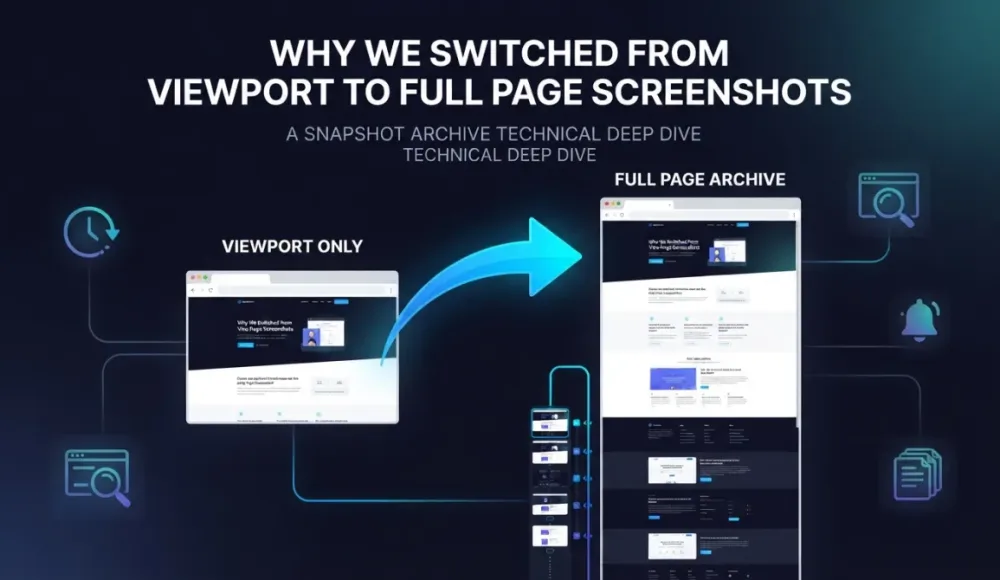
When we first set up screenshot monitoring, we left everything on the default viewport mode. It captures the visible portion of the page, roughly what fits on one screen without scrolling. Worked fine for checking headers, hero sections, and navigation. Then we started monitoring a competitor's pricing page, and for three weeks visual diff reported "no changes." The competitor had moved their pricing table below the fold, added a new comparison section, and restructured their entire plan layout. Our viewport screenshot never scrolled down far enough to see any of it.
That's the problem with viewport captures: they assume the important content is above the fold. For homepages and landing pages, that's usually true. For pricing pages, legal docs, and terms of service, the critical content usually lives further down. Think about a disclaimer buried at the bottom of a product page. Or a cancellation clause in paragraph twelve of the terms. Viewport mode misses all of it.
What full-page mode actually gives you
Full-page mode captures everything from top to bottom. The browser scrolls through the entire page and stitches the result into one tall image. The files are bigger (200-800 KB vs 30-100 KB for viewport), and processing takes a few seconds longer. The trade-off is worth it for any page where changes below the first screen matter. We switched our terms-of-service monitors to full-page after a client's cancellation policy changed in the last third of the page and we didn't catch it for a week. One thing to keep in mind: switching modes mid-stream on an existing monitor breaks the visual diff chain, because the image dimensions change drastically and every pixel comparison triggers as a difference. Pick one mode per URL when you set up the monitor and stick with it.
After running both modes for a few months, the pattern was pretty clear. viewport for quick post-deploy checks and header monitoring where speed matters more than completeness. Full page for pricing pages, legal documents, competitor audits, and anything compliance-related where missing a change below the fold could cost you. The full-page screenshots feature page goes into the technical side: viewport sizing in full-page mode, API configuration, that sort of thing.
Start archiving websites today
Free plan includes 3 websites with daily captures. No credit card required.
Create free account
We Caught a 32% SaaS Price Drop Live
On April 27th, proxy-cheap dropped their Static Residential Proxy price from $3.39 to $2.29 with zero announcement. We caught it the same morning.

How to bypass age verification on websites using custom cookies
Some websites block content behind an age verification form — three input fields for date of birth, no simple button to click. Click selector can't help here. We show how to bypass these gates using custom cookies, with jackdaniels.com as a real example.
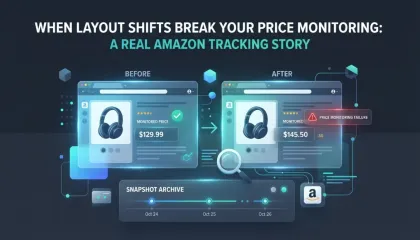
When layout shifts break your price monitoring: a real Amazon tracking story
We set up price monitoring on an Amazon product page and immediately started getting 22% diff alerts — not because the price changed, but because a promotional banner kept appearing and disappearing in the navigation, shifting the entire layout down by a few dozen pixels. Here's how we figured out what was happening and what we'd recommend doing about it.